README
Cesium-Martini
On-the-fly meshing of raster elevation tiles for the CesiumJS virtual globe

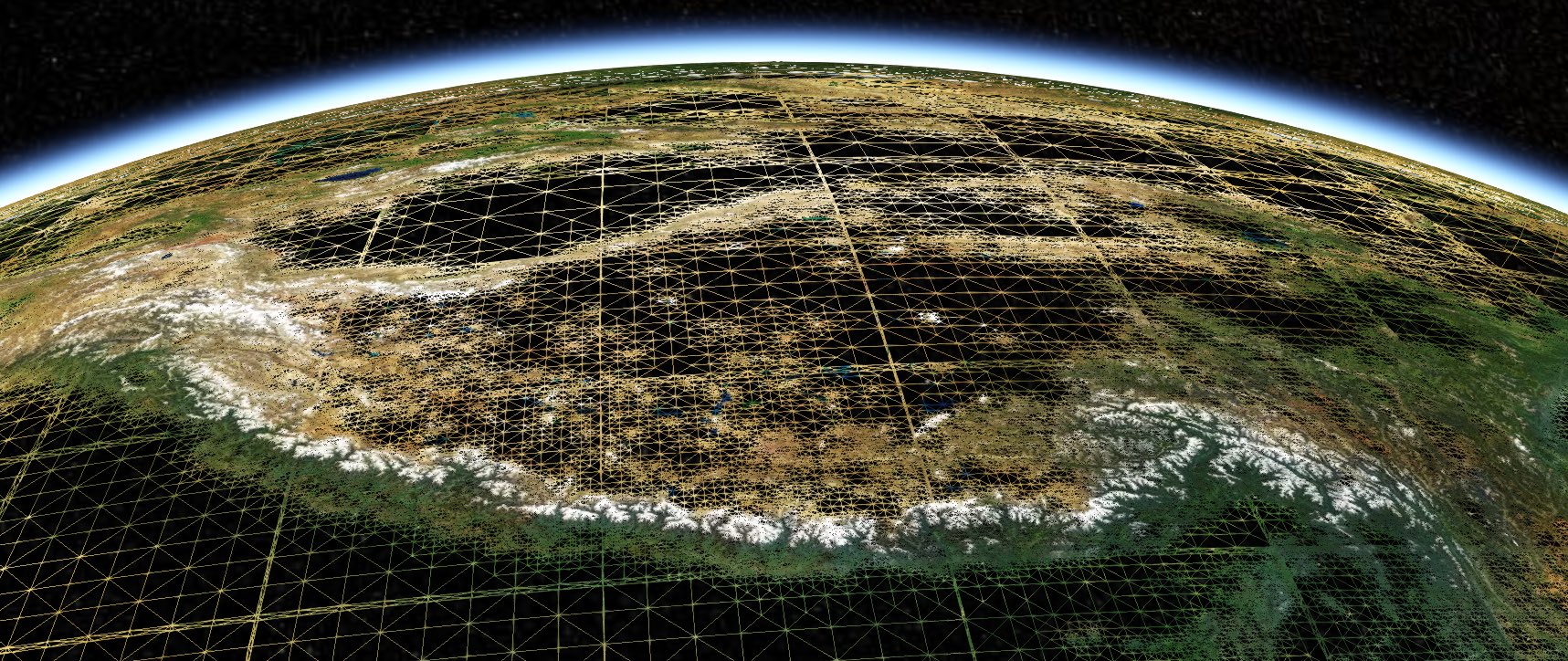
This package contains a Cesium TerrainProvider that uses right-triangular irregular networks (RTIN) pioneered by Mapbox's Martini to transform Terrain-RGB elevation tiles into quantized mesh terrain, for rendering in the CesiumJS digital globe. The module provides a general technique applicable to all raster imagery (although the Terrain-RGB format is near-ideal for streaming elevation data). Fixes for performance and better control of rendering quality are in progress.
This module was created to support our geologic map visualization work at Macrostrat and as a building block for future rich geoscience visualizations.
Installation
This package is listed on NPM as @macrostrat/cesium-martini. It can be
installed using the command
npm install --save @macrostrat/cesium-martini
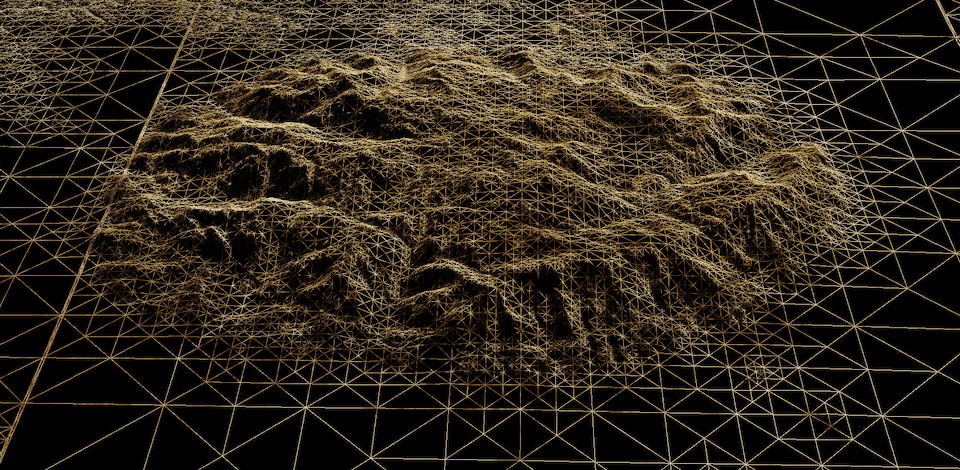
Development
As of version 1.3.x, cesium-martini development is tested with the Yarn
package manager. Your mileage with npm may vary.
Quick start
- Clone the repository
- Install dependencies with
yarn install - Build the package with
yarn run build
After cloning this repository, you can build the module (using Rollup) with
yarn run build, or build and watch for changes with yarn run watch.
Example applications
Several example applications are available in the examples/
directory and runnable from the root project. The main example is built with
Vite and others are built with Webpack v5. As well as showing how to use this
module, these examples contain configuration for bundling Cesium in each
packaging system.
To run an example application, add MAPBOX_API_TOKEN=<your-mapbox-token> to a
.env file. in the root of this repository, and then start the appropriate
example:
yarn run example(Vite)yarn run example:mapzen(Vite + Mapzen)yarn run example:webpack(Webpack)yarn run example:webpack-mapzen(Webpack + Mapzen)yarn run example:webpack-react(Webpack + React)
Contributions in the form of bug reports and pull requests are welcome. These can be to add functionality (e.g. optional normal-map generation) or for performance. See list of known limitations below.
Motivation
The Cesium digital globe is a powerful platform for visualization of geospatial data in 3D. Cesium maintains a global elevation dataset as a prebuilt terrain mesh, which caches the computationally-intensive step of meshing height-field data into a triangle irregular network (TIN). Unfortunately, this quantized mesh format is relatively new, narrowly supported and tailored to Cesium itself. Supporting a TIN format for elevation datasets requires maintenance of significant single-purpose processing pipelines and storage resources.
Fast raster meshing
Mapbox maintains a multiscale global elevation dataset in their clever terrain-RGB format, which bridges web standard file formats (PNG images) with traditional raster GIS formats for representing terrain. Rasters are the standard representation of elevation data across the geosciences, and many pipelines are available to create and modify raster images. Basically any elevation dataset can be easily rescaled to the Terrain-RGB format, but the jump from there to a "Quantized mesh" is more complicated.
More recently, Vladimir Agafonkin at Mapbox demonstrated an elegant algorithmic approach that sidesteps this issue. His MARTINI project constructs meshes based on right-triangulated irregular networks (RTIN, Evans et al., 1998) and is far quicker than the traditional TIN generation techniques.
A speedy meshing algorithm allows this data-preparation step to be handled in the browser after elevation tiles are loaded. Integrating this toolchain into the Cesium digital globe enables the usage of Mapbox global data and other raster terrain layers (e.g. planetary and bathymetric data!), without adding overhead of TIN processing and storage.
Progressive mesh enhancement (added in version 1.5.0)
Cesium TerrainProviders are generally designed to represent static terrain
meshes. The RTIN algorithm used here can dynamically build meshes at a variety
of error levels, and the input height fields can represent extremely detailed
meshes at a given zoom level.
By default, meshes are generated at levels of detail that undersample the available structure in a terrain tile, calibrated to what Cesium needs to render visually pleasing output at a given zoom level. To more fully exploit the available data, we can generate meshes at progressively higher resolution from the same input data. This allows some zoom levels to be skipped, greatly increasing efficiency.
This "overzooming" can be enabled using the skipZoomLevels configuration. For
instance, the below function will refuse to load tiles except in
function skipZoomLevels(z) {
  return z % 3 != 0;
}
The configuration also takes a single number and array.
Outstanding bugs and issues
- High-resolution
@2xtiles are notionally supported but not well-tested. - There is no formal testing framework to catch regressions.
- TypeScript types are discarded on compilation rather than checked properly.
Prior art and relevant examples
- Mapbox MARTINI
- MARTINI algorithm explanation
- Evans et al., Right-triangulated irregular networks, 1998 (journal link)
- Cesium quantized mesh specification
- Quantized mesh viewer
- Cesium globe materials example
- Cesium sky/atmosphere example
Changelog
[1.5.1]: February 2025
- Remove
.ideafiles from bundle
[1.5.0]: February 2025
- Allow overzooming of tiles when zoom levels are skipped
- Improve and deduplicate examples
- Fix typescript types
- Improve some internal organization of code
[1.4.0]: February 2025
- Merge PR #10 from Stuart Attenborrow to allow loading of non-Mapbox terrain tiles
- Created Vite and Webpack examples of using the module with Mapzen Terrarium tiles
- Migrated Vite examples to Vite 5
- Upgraded
axiosdependency - Remove submodule dependency for
@mapbox/martiniin favor of directly importing from my fork - Upgrade
yarnto4.6.0
[1.3.0]: September 2023
- Add compilation to ESModules, which allows the package to be used with modern bundlers like Vite. Contributed by @fc.
- Change latitude-based scaling factor for tile error to improve fidelity at high latitudes.
- Remove
regenerator-runtimefrom web-worker code, targeting modern platforms.
Development environment
We reorganized the development environment and examples for a more modern overall design.
- Switched to
yarnfromnpmas the default package manager - Enabled Yarn Plug'n'Play for faster development
- Created a Vite example application
- Migrated Webpack examples to Webpack 5
- Moved all examples to the
examples/directory as Yarn workspaces, enabling separation of dependencies
[1.2.0]: November 2021
- Globe caps! (disable using the
fillPolesoption). - Some fixes for efficiency
- Fixed small errors in tile occlusion code
- Added a
minZoomconfiguration option to prevent excessive loading of low-resolution tiles - Four (!) pull requests from @stuarta0 to improve loading of non-Mapbox tilesets
[1.1.3]: June 2021
- Fix memory leak where
ArrayBuffers were retained due to console logging.
[1.1.2]: May 2021
- Fixed a bug with loading high-resolution tiles
- Added a
skipOddLevelsoption that significantly reduces the load of zooming through many terrain levels. This is enabled by default. - Greatly increase skirt height
[1.1.0]: May 2021
- Fixed a bug with tile occlusion south of the equator for high-detail tiles
- A quicker and more robust mesh-densification algorithm for low zoom levels
- More configurability with options like
detailScalarandminimumErrorLevel. - Updated README and examples
- Uses web workers for rapid tile generation off the main thread