README
maplibre-three-plugin
maplibre-three-plugin is a bridge plugin that cleverly
connects MapLibre GL JS with Three.js, enabling
developers to implement 3D rendering and animation on maps.
Install
npm install @dvt3d/maplibre-three-plugin
----------------------------------------
yarn add @dvt3d/maplibre-three-plugin
Quickly Start
maplibre-three-plugin depends on three, please make sure three is installed before using it.
<div id="map-container"></div>
import maplibregl from 'maplibre-gl'
import * as THREE from 'three'
import { GLTFLoader } from 'three/addons'
import * as MTP from '@dvt3d/maplibre-three-plugin'

const map = new maplibregl.Map({
  container: 'map-container', // container id
  style: 'https://api.maptiler.com/maps/basic-v2/style.json?key=get_access_key',
  zoom: 18,
  center: [148.9819, -35.3981],
  pitch: 60,
  canvasContextAttributes: { antialias: true },
  maxPitch: 85,
})

//init three scene
const mapScene = new MTP.MapScene(map)

//add light
mapScene.addLight(new THREE.AmbientLight())

// add model
const glTFLoader = new GLTFLoader()

glTFLoader.load('./assets/34M_17/34M_17.gltf', (gltf) => {
  let rtcGroup = MTP.Creator.createRTCGroup([148.9819, -35.39847])
  rtcGroup.add(gltf.scene)
  mapScene.addObject(rtcGroup)
})
Examples
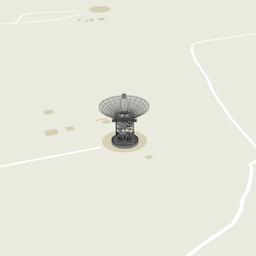 | 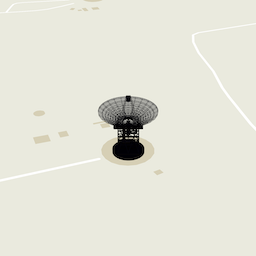 | 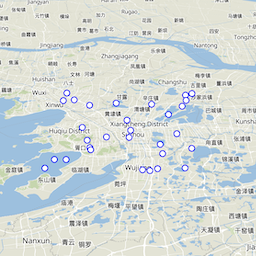 | 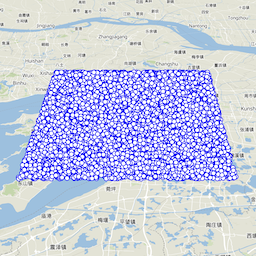 |
|---|---|---|---|
| model | sun-light | point | point-collection |
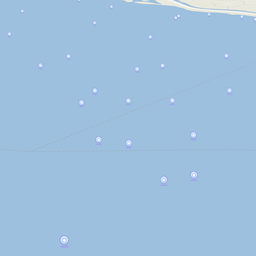 | 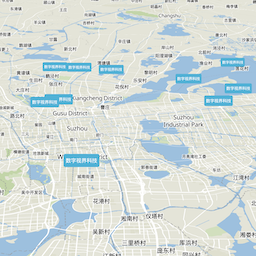 | 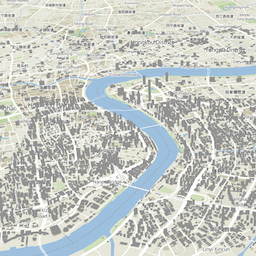 | 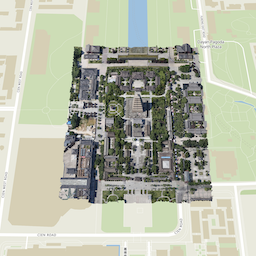 |
| billboard | div-icon | 3d-tiles | 3d-tiles-osgb |
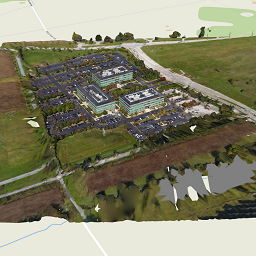 | 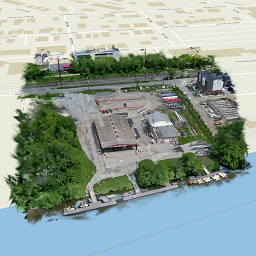 | 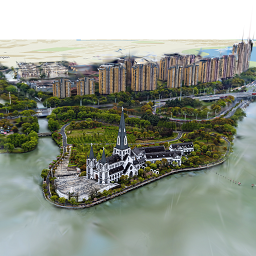 | 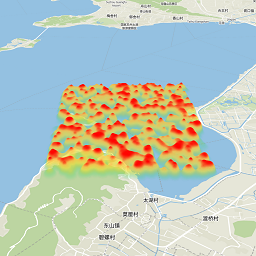 |
| 3d-tiles-cesium-ion | 3d-gs-cesium-ion | 3d-gs-splat | heat-map |
Docs
MapScene
examples
const mapScene = new MapScene(map)
creation
- constructor(map,[options])
- params
{Map} map: map instance{Object} options: config
- params
// config
Object({
  scene: null, //THREE.Scene,if not passed in, the default scene will be used
  camera: null, //THREE.Camera, if not passed in, the default camera will be used
  renderer: null, //THREE.WebGLRenderer if not passed in, the default renderer will be used
  preserveDrawingBuffer: false,
  renderLoop: (ins) => {
  } //Frame animation rendering function, if not passed in, the default function will be used,the params is an instance for MapScene
})
event hooks
preReset: A hook that callsrenderer.resetStatebefore each animation framepostReset: A hook that callsrenderer.resetStateafter each animation framepreRender: A hook that callsrenderer.renderbefore each animation framepostRender: A hook that callsrenderer.renderafter each animation frame
properties
{maplibregl.Map} map:readonly{HTMLCanvasElement} canvas:readonly{THREE.Camera} camera:readonly{THREE.Sence} scene:readonly{THREE.Group} lights:readonly{THREE.Group} world:readonly{THREE.WebGLRenderer} renderer:readonly
methods
-
addLight(light)
Add light to the scene, support custom light objects, but the custom light objects need to support the
delegateproperty, and thedelegatetype isTHREE.Object3D- params
{THREE.Object3D | Sun | CustomLight } light
- returns
this
- params
-
removeLight(light)
Remove light from the scene
- params
{THREE.Object3D | Sun | CustomLight } light
- returns
this
- params
-
addObject(object)
Add an object to world,support custom object, but the custom object need to support the
delegateproperty, and thedelegatetype isTHREE.Object3D- params
{THREE.Object3D | CustomObject} object
- returns
this
- params
-
removeObject(object)
Remove an object from world
- params
{THREE.Object3D | CustomObject} object
- returns
this
- params
-
flyTo(target,[completed],[duration])
Fly the map to the provided target over a period of time, the completion callback will be triggered when the flight is complete, the target needs to contain the
positionproperty- params
{THREE.Object3D | CustomObject} target{Function} completed:{Number} duration:
- returns
this
- params
-
zoomTo(target,[completed])
Zoom the map to the provided target
- params
{Ojbect} target{Function} completed:
- returns
this
- params
-
on(type,callback)
- params
{String} type{Function} callback:
- returns
this
- params
-
off(type,callback)
- params
{String} type{Function} callback:
- returns
this
- params
SceneTransform
examples
const scale = new SceneTransform.projectedUnitsPerMeter(24)
static methods
-
projectedMercatorUnitsPerMeter()
- params
- returns
{Number} value
-
projectedUnitsPerMeter(lat)
- params
{Number} lat
- returns
{Number} value
- params
-
lngLatToVector3(lng, [lat], [alt] )
- params
{Array | Number} lng{ Number} lat{ Number} alt
- returns
{THREE.Vector3} v
- params
-
vector3ToLngLat(v)
- params
{THREE.Vector3} v
- returns
{Array} value
- params
Sun
examples
const sun = new Sun()
creation
- constructor()
- params
properties
{THREE.Group} delegate:readonly{Boolean} castShadow{Date || String} currentTime{THREE.DirectionalLight} sunLight:readonly{THREE.HemisphereLight} hemiLight:readonly
methods
- update(frameState)
- params
{Object} frameState:
- returns
this
- params
Creator
examples
const rtcGroup = Creator.createRTCGroup([-1000, 0, 0])
static methods
-
createRTCGroup(center, [rotation], [scale])
- params
{Array} center{Array} rotation: default value is [0,0,0]{Array} scale: scale corresponding to the current latitude
- returns
{THREE.Group} rtc
- params
-
createMercatorRTCGroup(center, [rotation], [scale])
- params
{Array} center{Array} rotation: default value is [0,0,0]{Array} scale: scale corresponding to the current latitude
- returns
{THREE.Group} rtc
- params
-
createShadowGround(center, [width], [height])
- params
{THREE.Vector3} center{Number} width: default value is 100{Number} height: default value is 100
- returns
{Object} rtc
- params