README
GLE Scene Components


A React component library for building 3D scenes.
Installation
npm install gle-scene-components
Configuration
Configure Resium
Follow the Resium Install Guide
Supports
Documentation
Demos
- Boxes
- Animated Boxes
- Point Clouds
- Gaussian Splatting
- Coordinated Groups
- Google Photorealistic 3D Tiles
- Mesh 3D Tiles
- VR
- AR
Examples
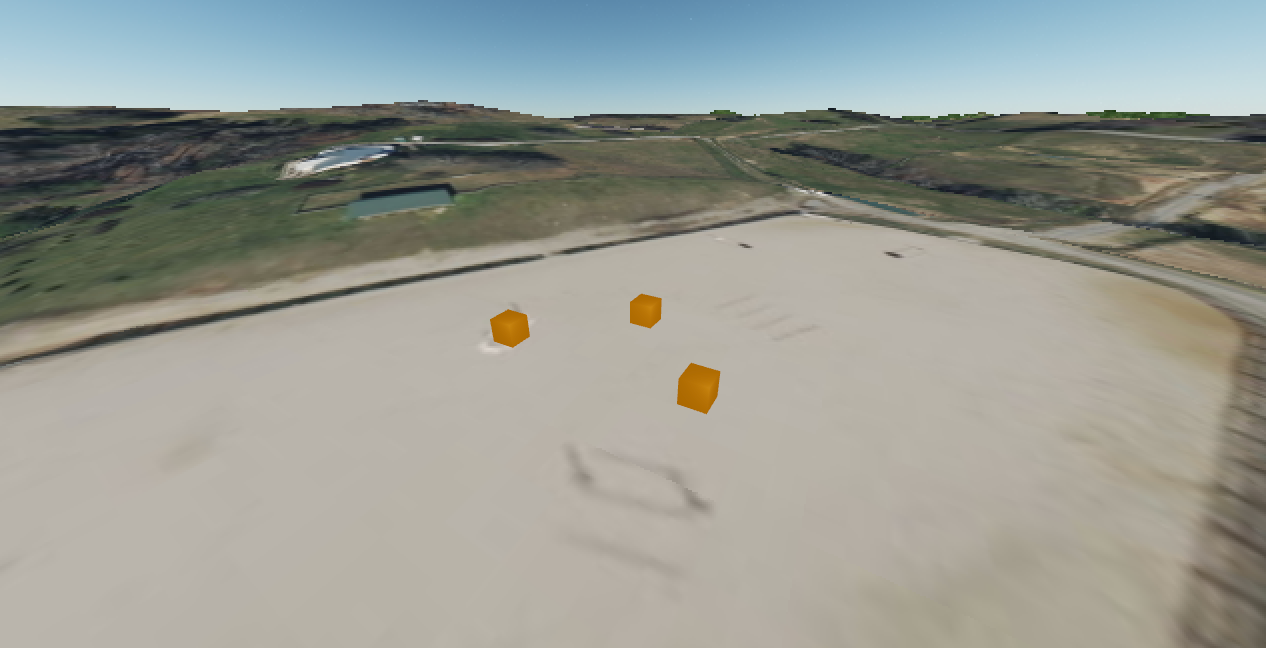
export const ExampleSimpleScene = () => {
  return (
    <Scene
      name="Simple Scene"
      sceneCenterLongitudeLatitudeHeight={[-83.76535, 34.401279, 357.0]}
      cesiumIonAccessToken={cesiumIonAccessToken}
    >
      <SceneContent>
        <ThreeSceneContent>
          <Box position={[4, 0, 0]} />
          <Box position={[0, 0, -4]} />
          <Box position={[-4, 0, 0]} />
        </ThreeSceneContent>
      </SceneContent>
    </Scene>
  );
};
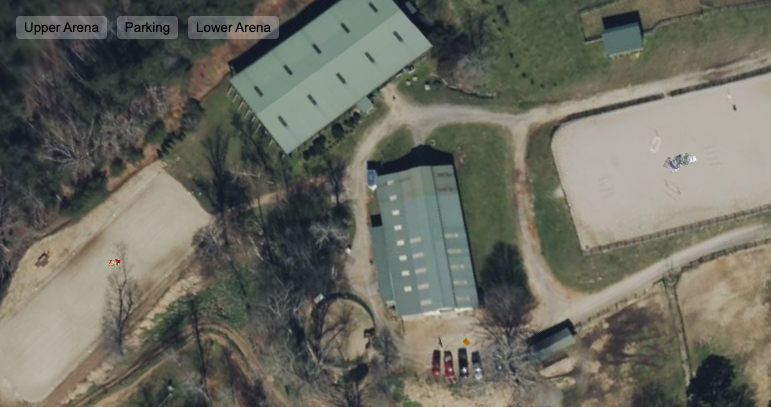
export const ExampleComplexScene = () => {
  // coordinates
  const upperArenaLongitudeLatitudeHeight = new Vector3(-83.76535, 34.401279, 357.0);
  const barnParkingLotLongitudeLatitudeHeight = new Vector3(
    -83.76536188233062,
    34.400715493095205,
    353.0
  );
  const lowerArenaLongitudeLatitudeHeight = new Vector3(
    -83.76612684589652,
    34.40024525982904,
    350.0
  );

  // reference
  const sceneRef = useRef<SceneInterface>(null);

  return (
    <>
      <SceneButton
        onClick={() =>
          sceneRef.current?.moveCameraToLongitudeLatitudeHeight(upperArenaLongitudeLatitudeHeight)
        }
      >
        Upper Arena
      </SceneButton>
      <SceneButton
        onClick={() =>
          sceneRef.current?.moveCameraToLongitudeLatitudeHeight(
            barnParkingLotLongitudeLatitudeHeight
          )
        }
      >
        Parking
      </SceneButton>
      <SceneButton
        onClick={() =>
          sceneRef.current?.moveCameraToLongitudeLatitudeHeight(lowerArenaLongitudeLatitudeHeight)
        }
      >
        Lower Arena
      </SceneButton>
      <Scene
        name="Complex Scene"
        ref={sceneRef}
        sceneCenterLongitudeLatitudeHeight={upperArenaLongitudeLatitudeHeight}
        cesiumIonAccessToken={cesiumIonAccessToken}
      >
        <SceneContent>
          <ThreeSceneContent>
            <CoordinatedGroup longitudeLatitudeHeight={upperArenaLongitudeLatitudeHeight}>
              <PointCloud
                baseUrl="https://raw.githubusercontent.com/potree/potree/develop/pointclouds/lion_takanawa/"
                fileName="cloud.js"
                onPointCloudLoad={rotatePointCloudOctreeYUp}
                position={[0, -0.75, 0]}
              />
            </CoordinatedGroup>
            <CoordinatedGroup longitudeLatitudeHeight={barnParkingLotLongitudeLatitudeHeight}>
              <Box position={[0, 0, 0]} />
            </CoordinatedGroup>
            <CoordinatedGroup longitudeLatitudeHeight={lowerArenaLongitudeLatitudeHeight}>
              <group position={[0, 2.6, -15]} rotation={[MathUtils.degToRad(30), 0, 0, 'XYZ']}>
                <GaussianSplatCloud
                  baseUrl="./"
                  fileName="splats/ornament/ornament.splat"
                  rotation={[
                    MathUtils.degToRad(-38),
                    MathUtils.degToRad(-85),
                    MathUtils.degToRad(180),
                    'ZYX',
                  ]}
                />
              </group>
              <OGC3DTiles
                url={'https://storage.googleapis.com/ogc-3d-tiles/museumMeshed/tileset.json'}
                position={[0, -2, 0]}
                rotation={[
                  MathUtils.degToRad(0),
                  MathUtils.degToRad(90),
                  MathUtils.degToRad(180),
                  'XYZ',
                ]}
              />
            </CoordinatedGroup>
          </ThreeSceneContent>
          <CesiumSceneContent>
            <GoogleMapsPhotorealistic3DTiles />
          </CesiumSceneContent>
        </SceneContent>
      </Scene>
    </>
  );
};
Development
Install
npm install
Build Library
npm run build
Run Tests
npm run test
Run Storybook
npm run storybook