README
:tada:vite-plugin-cesium-build
English | 简体中文
It externalizes Cesium.js and automatically copies the four major libraries and core files of CesiumJS during the build process.
It also support @cesium/engine !
- :+1: DX Zero impact on development
- :sparkles: TypeScript Type support.
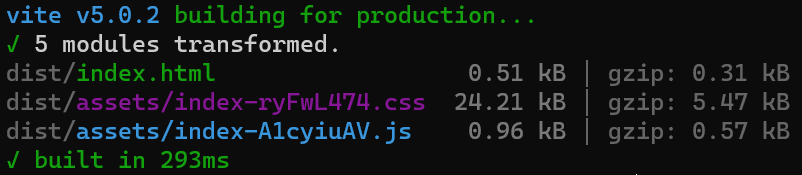
- :rocket: Super fast! In my laptop, the sample project only takes 300ms to complete the build because the Cesium library is not involved in the core build.
:memo: Usage
If you are
"not interested in document just wanna make it work asap", please refer to examples.
Install this plugin
pnpm add -D vite-plugin-cesium-build
Import it in vite.config.js
import { defineConfig } from 'vite'
import cesium from 'vite-plugin-cesium-build'
// import cesium from 'vite-plugin-cesium-build/engine' // when using @cesium/engine

export default defineConfig({
  plugins: [
    // ...
    cesium()
  ]
})
You have completed the entire configuration for CesiumJS! Now you can continue development and build as usual!
By default, This plugin will automatically add the code to your index.html:
// Customize variable 'to' in options
Object.defineProperty(globalThis, 'CESIUM_BASE_URL', {
  value: `/${to}/`
})
To prevent it, see customCesiumBaseUrl in Options.
If using Cesium version 1.97 or older, you can set css option to true:
export default defineConfig({
  plugins: [
    cesium({ css: true })
  ]
})
That will automatically add Cesium's css to your index.html:
<link rel="stylesheet" href="./cesium-package/Widgets/widgets.css">
In default it will import Cesium.js as IIFE, which could skip the long building time. If you want to import on demand, set iife: false:
export default defineConfig({
  plugins: [
    cesium({ iife: false })
  ]
})
Then you can import on demand through ESM.
[!TIP] When
iife: false, you can improve the behavior of cache in production environments by vite optionbuild.rollupOptions.output.manualChunks.For example
cesium: ['cesium'].
:wrench: Options
In addition, the plugin provides some configuration options:
export default defineConfig({
  plugins: [
    cesium({
      /**
       * Specifies the location of the Cesium package folder
       * Which means the relevant resources of CesiumJS will be obtained from this folder
       */
      from: 'node_modules/cesium/Build/Cesium',

      /**
       * Specifies the location of the built resources
       * Which means the built resources will be placed under /dist/cesium-package/
       */
      to: 'cesium-package',

      /**
       * If `true`, you need to manually set the CESIUM_BASE_URL. Or use `string` to customize the base url directly.
       */
      customCesiumBaseUrl: false,
      /**
       * If `true`, Cesium's css will be added automatically.
       */
      css: false,

      /**
       * If `true`, using IIFE to skip building `Cesium.js`. If `false`, do not handle `Cesium.js`.
       */
      iife: true
    })
  ]
})
Fully customizable
It also provide some internal methods to support fully customizable. In the rare case that it is necessary, please check the corresponding source code.
import { defineConfig } from 'vite'
import { imports, setBaseUrl } from 'vite-plugin-cesium-build/core'

export default defineConfig({
  plugins: [
    [
      imports(
        // ...
      ),
      setBaseUrl(
        // ...
      )
    ]
  ]
})
Others
If you are a Vue user, maybe try cesium-use !