README
git 拉取说明: 由于项目中上传了大于 100M 的资源文件,直接使用 git clone 无法拉取完整代码,需要先安装 git lfs 。 不过这样会导致 git clone 速度慢,后续考虑将资源文件托管到其他平台。
git lfs install        # 只需一次,全局安装 lfs
git clone https://github.com/yangjs6/mapbox-3d-tiles-demos.git  # 拉取完整代码
mapbox-3d-tiles-demos
集成 mapbox-gl 与 threejs 实现在地圖上渲染 3dtiles 、3DGS、gltf、Mesh、Object 模型等功能。
🧐 背景介绍
最初考慮在 threejs 中渲染 3dtiles,以替換 mapbox-gl + deck.gl 的解決方案。 後來發現 threejs 上還可以做更多功能,例如 3DGS 模型、gltf 模型等。
因此,決定將 mapbox-gl 與 threejs 整合,以提供更強大的渲染功能。
🔧 功能說明
- 支持將 threejs 和 mapbox 集成,相機同步等
- 支持在 threejs 中渲染 3dtiles、3DGS、gltf 模型等,座標對位
- v1.0.0 更新:支持在 threejs 和 mapbox 中進行第三人稱視角下的操作,如無人機或角色控制,效果参考以下示例视频
- v1.0.0 更新:支持将 3DGS 数据切片成 3dtiles 数据,并使用 tileset 方式加载,效果参考以下示例视频。工具参考 https://github.com/yangjs6/splat-3dtiles
- v1.1.0 更新:支持各类 mesh/object 创建,包括点、线、面、体的可视化,如建筑、道路、地理围栏等
更多功能已經實現,但未開源,請期待!
🚀 示例圖集
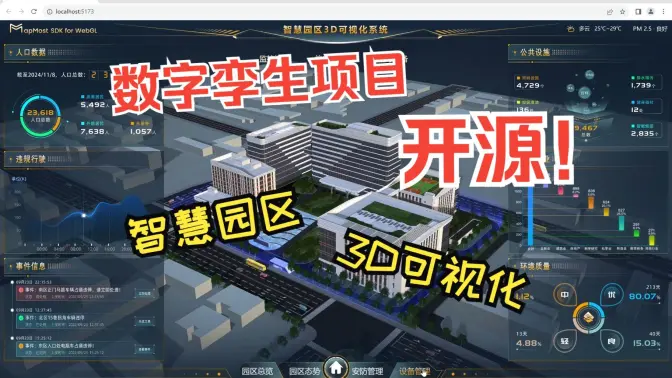
- 智慧园区可视化示例,点击图片,可跳转到 b 站查看相关视频。
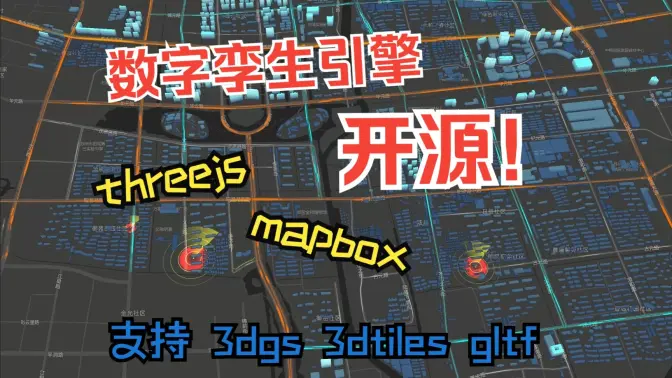
- 加载各类 mesh 示例,点击图片,可跳转到 b 站查看相关视频。
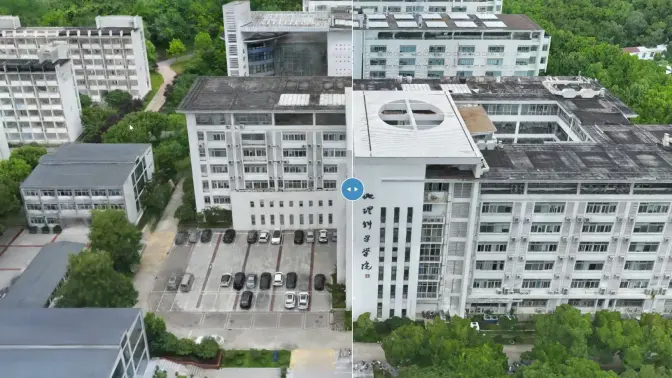
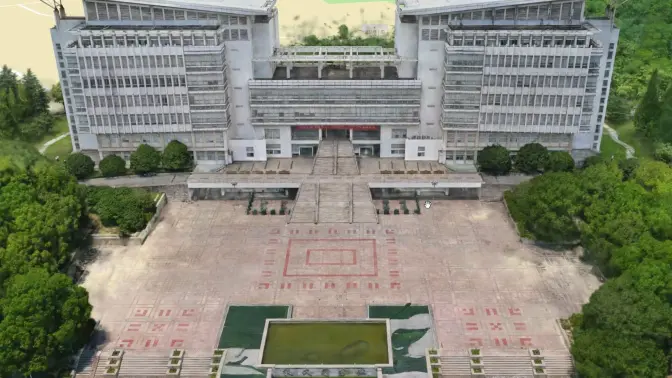
- 加载大范围 tileset/3dgs 对比,点击图片,可跳转到 b 站查看相关视频。
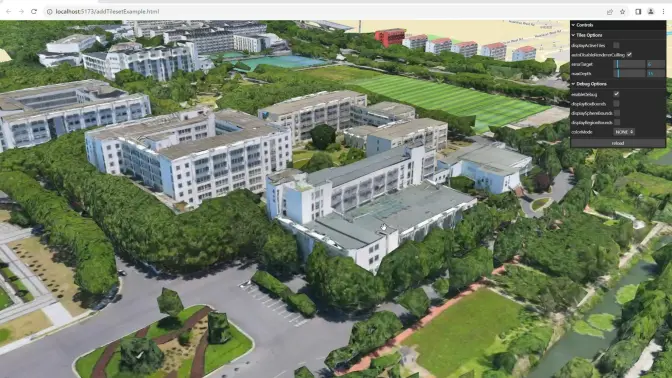
- 加载大范围 tileset,点击图片,可跳转到 b 站查看相关视频。
- 加载大范围 3dgs,点击图片,可跳转到 b 站查看相关视频。
🏁 示例使用
初始化
初始化 mapbox-gl 的 map,在 map 的 load 事件中添加 ThreejsSceneLayer,并进一步添加 tileset 、 3dgs 、gltf、glb 等模型。
map.on('load', function () {
    var scene = new ThreejsSceneLayer({
        id: 'test-scene',
        refCenter: refCenter,
    });

    map.addLayer(scene);

    var tileset = scene.addTileset({
        id: 'test-tileset',
        url: tiles3DLayerUrl,
    });

    var tileset_3dgs = scene.addTileset({
        id: 'test-tileset',
        url: 'http://localhost:8804/splat-3dtiles/NNU_2_opt/tileset.json',
        isGaussianSplatting: true, // 默认为 false,如果模型有3DGS效果,请设置为 true
        maxGaussianSplatingCount: 4096 * 4096, // 当数据量大时,可调高到 8192 * 8192
    });

    scene.addModel({
        id: 'NNU_2_new',
        rootUrl: './data/splats/',
        fileNames: 'surveyhouse.splat',
        position: [118.9062412507131, 32.10569531706962],
        rotation: [-90, 0, 0],
        scale: 1,
        offset: [0, 0, -30],
    });

    scene.addModel({
        id: 'SM_Tesla',
        rootUrl: './data/meshes/',
        fileNames: 'SM_Tesla.glb',
        position: [118.91083364082562, 32.116922266350315],
        rotation: [90, 0, 0],
        scale: 1,
        offset: [-26.8, -4.2, 1.6],
    });

    scene.addMesh({
        id: fenceData,
        data: fenceData,
        type: 'fence',
        color: fenceColor,
        opacity: 0.7,
        material: 'ripple',
        num: 5,
        speed: 1,
        getElevation: 20,
    });

    // 添加道路线
    scene.addMesh({
        id: roadData,
        data: `./data/suzhou/${roadData}`,
        type: 'tube',
        material: {
            map: texture,
            transparent: true,
            side: THREE.BackSide,
            depthWrite: true,
            depthTest: true,
            opacity: 1.0,
            color: color,
        },
        getTubeRadius: radius,
        speed: speed,
    });

    // 添加建筑
    scene.addMesh({
        id: 'building-layer',
        data: './data/suzhou/buildings.geojson',
        type: 'building',
        color: '#18396E',
        getElevation: (f) => f.properties.height || f.properties.HEIGHT,
        opacity: 1.0,
        gradient: true,
        gradientColor: ['#18396E', '#AEFFFF'],
        gradientHeightMax: 100,
        gradientHeightMin: 0,
        lightColor: '#6EFFFF',
        lightCircleTime: 20,
        lightBorderWidth: 0.02,
        lightMixRate: 0.0,
        enableEdge: true,
        material: {
            edge: {
                color: 'black',
                opacity: 0.1,
                width: 2,
            },
        },
    });
});
✍️ 作者说明
杨建顺