README
3DStreet



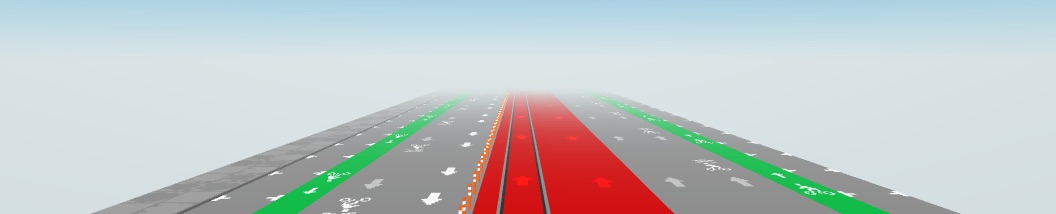
3DStreet is an open-source geospatial design application for creating urban planning scenes with detailed street configurations. Based on three.js and A-Frame, 3DStreet empowers users to rapidly prototype custom urban design scenarios using procedural street design tools combined with a rich library of accurately scaled and oriented creative-commons licensed 3D models.
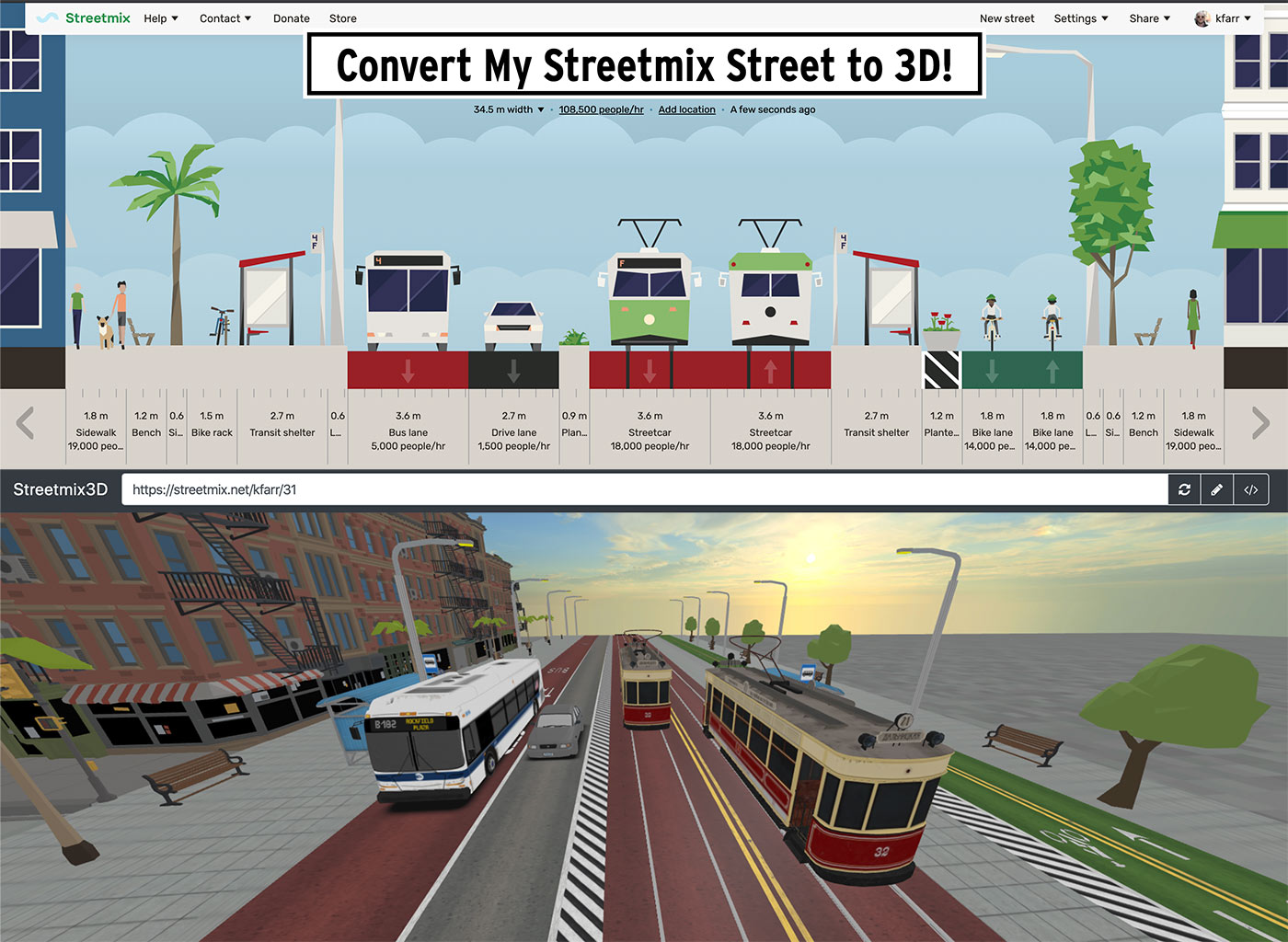
3DStreet creates immersive 3D visualizations using built-in street generation templates, or from 2D Streetmix.net street cross-sections and supports real-world context through built-in integrations to geospatial data sources such as Google 3D Tiles, Open Street Map, and on-site Augmented Reality using WebXR. 3DStreet has an active global user base and has been used by tens of thousands of students, professionals, and advocates worldwide to create visualizations of proposed scenarios for street safety improvements.
Our long-term vision is to improve street safety and address climate change by empowering community-led planning, made possible by open-source tools like 3DStreet that provide a level playing field for geospatial design for both community members and engineering professionals.
Online Tool
| Start 3DStreet |
|---|
(or visit https://3dstreet.app)
Educational Use & Partnerships
3DStreet is actively used in educational settings, including partnerships with universities across Europe and North America. The application serves as a teaching tool for urban planning and transportation design courses, helping students learn about street safety and sustainable transportation through hands-on 3D design experiences.
WebXR and Augmented Reality
3DStreet supports immersive experiences through WebXR, including augmented reality visualization for on-site street design review. The companion Bollard Buddy application provides web-based AR capabilities for measurement, geolocated object placement, and 3DStreet scene visualization without requiring separate native applications.
Open-Source Geospatial Design Platform
3DStreet addresses the critical need for open-source alternatives to proprietary civil engineering software. While most 3D geospatial design tools used by professional engineers are closed-source applications from companies like ESRI and Autodesk, 3DStreet provides a browser-based, cross-platform solution that works on any device.
This approach ensures equitable access to geospatial design tools for users worldwide, including those in developing regions who cannot afford traditional commercial civil engineering software.
The rest of this README is for developers and contributors. For info on using 3DStreet, please refer to our full user-facing documentation at 3dstreet.com/docs.
A-Frame component
3DStreet is a customized fork of the A-Frame Inspector with similarities to the C-Frame community A-Frame Editor (https://github.com/c-frame/aframe-editor/) maintained by Vincent Fretin. Our projects attempt to coordinate in bug fixing and feature development on 3DStreet/A-Frame Editor and to share these changes across these 3 repositories when feasible.
3DStreet Editor interface is a React application, and the core internals are a series of A-Frame Components which could also available for developers under AGPL to customize for their own custom applications, however external use of the internal 3DStreet libraries are not actively supported or tested.
Automatic Asset Loading
When aframe-street-component.js is included on a page it automatically loads 3D models and other assets using the A-Frame asset loader by adding them to the scene's a-assets block and defining mixins pointing to these assets. The street component itself simply places entities with appropriate mixin names. For more information on the asset loader see this docs link.
List of Supported Segment Types
3DStreet does not yet support all of the street segments found in Streetmix. You may find some segments don't display at all or are missing 3D elements. Here is a complete list:
| Streetmix Segment Type | 3DStreet Support? | Variants | Notes and Model Source |
|---|---|---|---|
| sidewalk | Yes - Partial | empty | All variants show empty sidewalk, no pedestrian 3d models or density variants. |
| sidewalk-lamp | Yes - All | Variants: right, left, both Subvariants: modern, traditional, pride | Modern Lamp Post, License Google Poly CC Attrib; Traditional Lamp Post, License Google Poly CC Attrib |
| bike-lane | Yes - All | Variants: regular, red, green | No bikes shown |
| drive-lane | Yes - Partial | car-type: "car" and "sharrow" | Not supported: car-type truck and autonomous vehicle |
| turn-lane | Yes - All | left right left-right-straight shared both left-straight right-straight straight | Note: there appears to be a bug with Streetmix.net rendering of turn-lane-orientation variant in street cross section for inbound - it appears to be inverted from the street's json database value. https://github.com/streetmix/streetmix/issues/683. Note: Shared turn lane does not exhibit proper segment lane markings. |
| bus-lane | Yes - Partial | shared (sharrow) variant not supported | Model Credits: New Flyer XD40 Bus |
| divider | Yes - Partial | striped-buffer, bollard | striped-buffer is rendered for all variants. Original model credit: Flexi Guide 300 Safe Hit Post |
| parking-lane | Yes - Partial | parking-lane-direction and parking-lane-orientation unsupported, parking delimiter markings unsupported | |
| sidewalk-tree | Yes - All | palm-tree, big | Supports palm tree and normal ("big") street tree. Palm Tree: License Google Poly CC Attrib, Model Source, Street Tree: License Sketchfab "Standard", Polygon City Pack |
| sidewalk-bench | Yes - Partial | left, right | "center" bench not supported. |
| sidewalk-bike-rack | Yes - Partial | Doesn't support height -- always at sidewalk level. No bike model yet, just the rack. Model credits: Bike Rack by illustrationlogic, License CC BY NC SA 4.0 | |
| sidewalk-wayfinding | Yes - Partial | small, medium, large variants all render same object | All size variants render the same simple wayfinding obelisk shape with texture based on original NYC design from Pentagram.. |
| parklet | No | ||
| light-rail | Yes - All | grass variant displays as green color asphalt | Model credits: Siemens Avenio, License CC BY NC SA 4.0; Train track 2 black, License Google Poly CC BY |
| streetcar | Yes - All | grass variant displays as green color asphalt | Model credit: Godarville Tram, License Turbo Squid Royalty Free |
| transit-shelter | Yes - Partial | Doesn't support height -- always at sidewalk level. | |
| train | No | No support planned, not a public Streetmix segment type. | |
| scooter | Yes - All | Variants: regular, red, green | No scooters shown. (Treated identically to a bike lane.) |
| scooter-drop-zone | No | ||
| bikeshare | Yes | left right | Rendered every 100 meters. Original model credit |
| food-truck | No | ||
| flex-zone | No | ||
| flex-zone-curb | No |
List of Building Variants
"Buildings" are lots and/or objects rendered on either side of the street to add to the setting.
| Streetmix Building Variants | 3DStreet Support? | Notes |
|---|---|---|
| grass | Yes | https://www.textures.com/download/grass0052/12094 |
| fence | Yes | Fence Model: Paid Royalty Free License CGTrader.com T&Cs Paragraph 21 for construction fence Low-poly 3D model |
| parking-lot | Yes | https://www.textures.com/download/roads0111/53096 |
| waterfront | Yes | Credit to @Lady_Ada_King for a-ocean-plane; @threejs for water normal jpeg; cgskies for sky image (paid license). Seawall Models: License Sketchfab "Standard" from Polygon City Pack |
| residential | Yes | Buildings: License Synty Store EULA from Polygon Town Pack. Does not support varying floors as specified by Streetmix JSON. |
| narrow | Yes - partial | |
| wide | Yes - partial |
License
The 3DStreet codebase is offered under the GNU Affero General Public License v3, as specified in the LICENSE file.
Assets such as 3D models, textures, and audio are offered under the Creative Commons By Attribution Non-Commercial License, unless a more specific license is specified for each asset in the documentation on this page.
Contact kieran@3dstreet.org for commercial licensing.
Developer Docs
See this link for more information about the custom components developed and modified for the project.
Model Credits
- Creative Commons Google Poly
- Some city / car models https://sketchfab.com/3d-models/polygon-city-pack-preview-5a16f543d1054fbc9ce1cb17a2ba412e
- Some road textures https://www.textures.com/download/roads0086/44877 https://www.textures.com/download/roads0122/55065
- Sidewalk textures https://www.textures.com/download/floorsregular0299/87153 https://www.textures.com/download/floorsregular0301/87158
- Fence model https://sketchfab.com/3d-models/chainlink-fence-low-poly-50901b0cc91b4e04a18ecd13bc379a90
- Bus stop, creative commons https://poly.google.com/view/7iBPwMlmfge
- Do something with this adorable train: https://sketchfab.com/3d-models/tram-and-rails-modular-4168da5a8b884171b4540dd33eb05ef2
- Trolley: https://sketchfab.com/3d-models/neighborhood-trolley-3bc683cca6b84d8985cc0befe710b8fa
Audio Credits
- wide, narrow urban building variants: Ambient SF https://www.soundsnap.com/ssl_16_11_amb_ext_afternoon_alamo_square_painted_houses_park_with_birds_some_people_around_calm_city_san_francisco_st_wav
- fence, grass variants - AMB_Suburbs_Afternoon_Woods_Spring_Small Field_Bird Chirps_Low Car Rumbles_Grass_Leaves Rustle_ST_MKH8050-30.mp3
- parking-lot variant - "Parking lot ambience - long - looping.mp3" https://www.soundsnap.com/parking_lot_ambience_long_looping_wav
- waterfront variant - UKdock4.mp3 - https://www.soundsnap.com/ukdock4
- waterfront variant - Water pier underneath small waves distant traffic ambience_BLASTWAVEFX_31752.mp3 - https://www.soundsnap.com/node/96455
- residential (suburban) variant - lawn mower, etc. - AMB_Suburbs_Spring_Day_Distant Lawnmowers_Birds_Distant Traffic_Distant Plastic Windmill Spin_Truck Pass By_Plane Overhead_MS_ST_MKH8050-30.mp3 https://www.soundsnap.com/amb_suburbs_spring_day_distant_lawnmowers_birds_distant_traffic_distant_plastic_windmill_spin_truck_pass_by_plane_overhead_ms_st
- Diesel idling bus https://www.soundsnap.com/turbodiesel_bus_riding_and_idling
- Tram pass https://www.soundsnap.com/tram_pass_by_fast_wav
- Historic streetcar pass https://www.soundsnap.com/streetcar_passing_by_smoothly
Skybox credits
- Most skybox images (c) Polyhaven CC0 license polyhaven.com individual credits