README
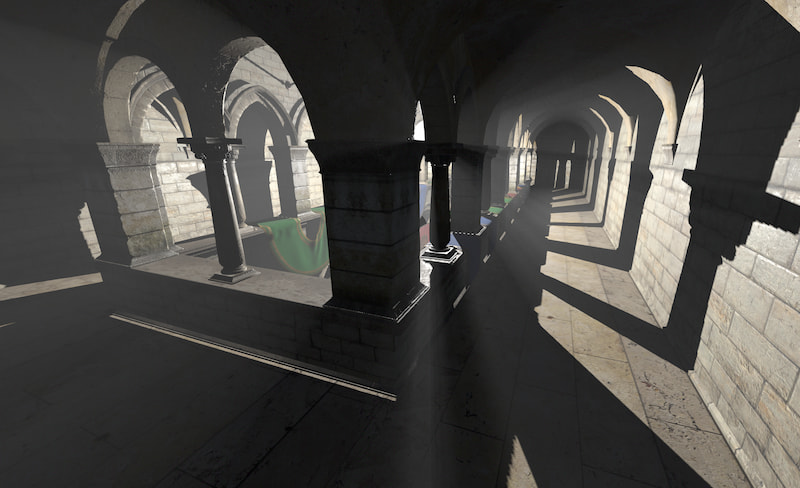
three-good-godrays

Good godrays effect for three.js using the pmndrs postprocessing library
Adapted from original implementation by @n8python
Demo: https://three-good-godrays.ameo.design
Install
npm install three-good-godrays
Or import from unpkg as a module:
import { GodraysPass } from 'https://unpkg.com/three-good-godrays@0.7.1/build/three-good-godrays.esm.js';
Supported Three.JS Version
This library was tested to work with Three.JS versions >= 0.125.0 <= 0.168.0. Although it might work with versions outside that range, support is not guaranteed.
Usage
import { EffectComposer, RenderPass } from 'postprocessing';
import * as THREE from 'three';
import { GodraysPass } from 'three-good-godrays';

const { scene, camera, renderer } = initYourScene();

// shadowmaps are needed for this effect
renderer.shadowMap.enabled = true;
renderer.shadowMap.type = THREE.PCFSoftShadowMap;
renderer.shadowMap.autoUpdate = true;

// Make sure to set applicable objects in your scene to cast + receive shadows
// so that this effect will work
scene.traverse(obj => {
  if (obj instanceof THREE.Mesh) {
    obj.castShadow = true;
    obj.receiveShadow = true;
  }
});

// godrays can be cast from either `PointLight`s or `DirectionalLight`s
const lightPos = new THREE.Vector3(0, 20, 0);
const pointLight = new THREE.PointLight(0xffffff, 1, 10000);
pointLight.castShadow = true;
pointLight.shadow.mapSize.width = 1024;
pointLight.shadow.mapSize.height = 1024;
pointLight.shadow.autoUpdate = true;
pointLight.shadow.camera.near = 0.1;
pointLight.shadow.camera.far = 1000;
pointLight.shadow.camera.updateProjectionMatrix();
pointLight.position.copy(lightPos);
scene.add(pointLight);

// set up rendering pipeline and add godrays pass at the end
const composer = new EffectComposer(renderer, { frameBufferType: THREE.HalfFloatType });

const renderPass = new RenderPass(scene, camera);
renderPass.renderToScreen = false;
composer.addPass(renderPass);

// Default values are shown.  You can supply a sparse object or `undefined`.
const params = {
  density: 1 / 128,
  maxDensity: 0.5,
  edgeStrength: 2,
  edgeRadius: 2,
  distanceAttenuation: 2,
  color: new THREE.Color(0xffffff),
  raymarchSteps: 60,
  blur: true,
  gammaCorrection: true,
};

const godraysPass = new GodraysPass(pointLight, camera, params);
// If this is the last pass in your pipeline, set `renderToScreen` to `true`
godraysPass.renderToScreen = true;
composer.addPass(godraysPass);

function animate() {
  requestAnimationFrame(animate);
  composer.render();
}
requestAnimationFrame(animate);
Gamma Correction
Gamma correction is enabled by this effect by default, matching expectations of sRGB buffers from postprocessing. However, you can disable this by setting gammaCorrection: false in the configuration object for the pass.
This may be necessary if you use other effect passes after GodraysPass that perform their own output encoding. If you see artifacts similar to these:
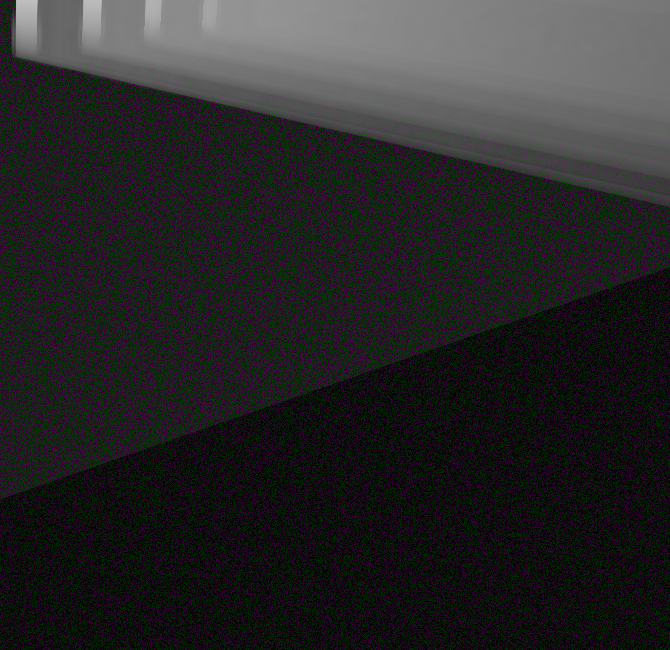
Try setting gammaCorrection: false on the GodraysPass or setting encodeOutput = false on any EffectPass that is added after the GodraysPass.
Develop + Run Demos Locally
- Clone repo
npm installnpm run prepublishOnlyto run initial buildsnpm install -g serve- Run
node esbuild.mjswhenever files are chnaged to re-build - Run
serve public/demo -p 5001and visit http://localhost:5001 in your browser