README
Realtime Webgl Globe
A webgl earth making it easy to add custom shapes at coordinates in realtime.
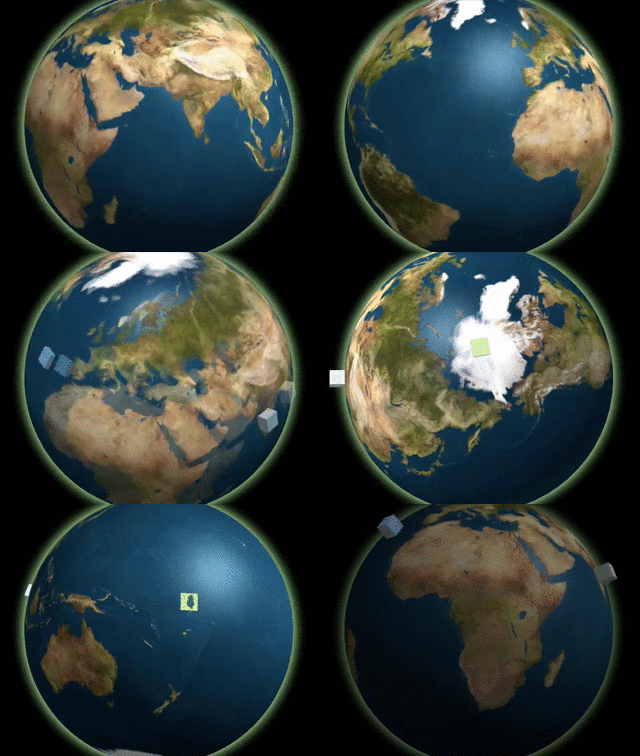
Demo!
Or check out this demo that shows the position of the International Space Station!
Features
- Makes it easy to add custom shapes to the globe at lat/long positions.
- Interactive (mousewheel scroll & mouse drags).
- Easy API for adding elements on the globe while it's running.
Basic Usage
var div = document.getElementById('globe');
var urls = {
  earth: 'img/world.jpg',
  bump: 'img/bump.jpg',
  specular: 'img/specular.jpg',
}

// create a globe
var globe = new Globe(div, urls);

// start it
globe.init();

// random data
var data = {
  color: '#FF0000',
  size: 20,
  lat: 52.3747158, // Amsterdam!
  lon: 4.8986231,  // Amsterdam!
  size: 20
};

// add a block on Amsterdam
globe.addBlock(data);
API
Class: Globe
Realtime Globe is a WebGL based earth globe that makes it super simple to add shapes in realtime on specific lat/lon positions on earth.
Globe.init()
Initializes the globe
Globe.zoomRelative(delta)
Zoom the earth relatively to its current zoom (passing a positive number will zoom towards the earth, while a negative number will zoom away from earth).
Parameters
- delta:
Integer
Returns: this
Globe.zoomTo(altitute)
Transition the altitute of the camera to a specific distance from the earth's core.
Parameters
- altitute:
Integer
Returns: this
Globe.zoomImmediatelyTo(altitude)
Set the altitute of the camera to a specific distance from the earth's core.
Parameters
- altitude:
Integer
Returns: this
Globe.center(pos)
Transition the globe from its current position to the new coordinates.
Parameters
- pos:
Object, the position - pos.lat:
Float, latitute position - pos.lon:
Float, longtitute position
Returns: this
Globe.centerImmediate(pos)
Center the globe on the new coordinates.
Parameters
- pos:
Object, the position - pos.lat:
Float, latitute position - pos.lon:
Float, longtitute position
Returns: this
Globe.addLevitatingBlock(data)
Adds a block to the globe. The globe will spawn
just below the earth's surface and levitate
out of the surface until it is fully out of the
earth.
Parameters
- data:
Object - data.lat:
Float, latitute position - data.lon:
Float, longtitute position - data.size:
Float, size of the block - data.color:
String, color of the block
Returns: this
Globe.addBlock(data)
Adds a block to the globe.
Parameters
- data:
Object - data.lat:
Float, latitute position - data.lon:
Float, longtitute position - data.size:
Float, size of the block - data.color:
String, color of the block
Returns: this
Globe.removeAllBlocks()
Remove all blocks from the globe.
Returns: this