README
webxr-ar-demos
A collection of Three.js-based WebXR demos optimized for AR glasses (Spectacles).
Installation
Clone the repository:
git clone https://github.com/dmvrg/webxr-ar-demos.git
Then navigate to a demo folder and install dependencies to run it locally. For example:
cd webxr-ar-demos/glowcube
npm install
npm run dev
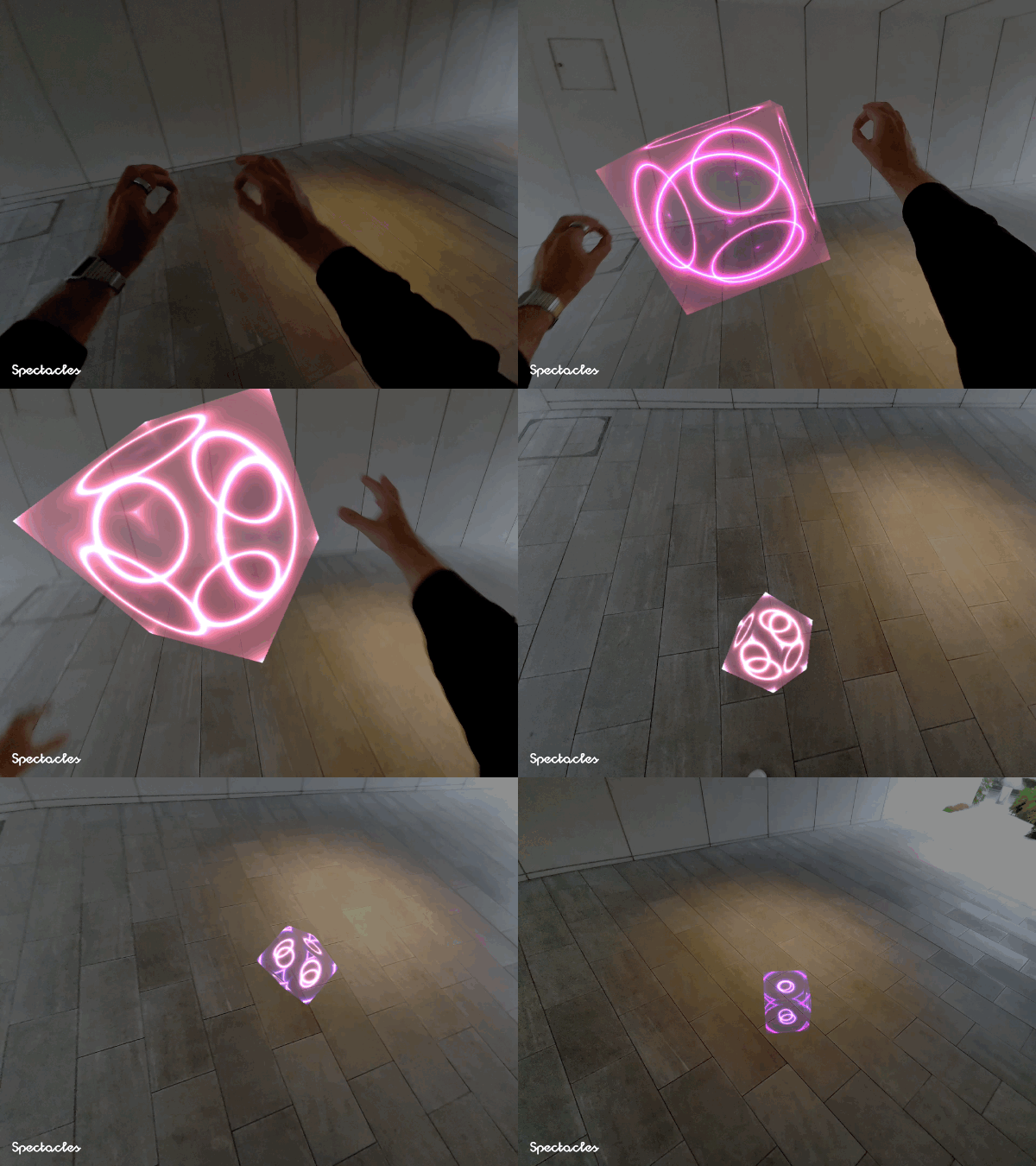
Glow Cube
Live demo: https://webxr-glowcube.vercel.app/
Demo exploring real-time hand interaction and simple procedural effects in WebXR. By pinching with both hands, the user can spawn and scale a glowing cube with a GLSL shader, while a basic physics system (Cannon.js) handles motion and collisions.
The GLSL shader is based on kishimisu’s video.
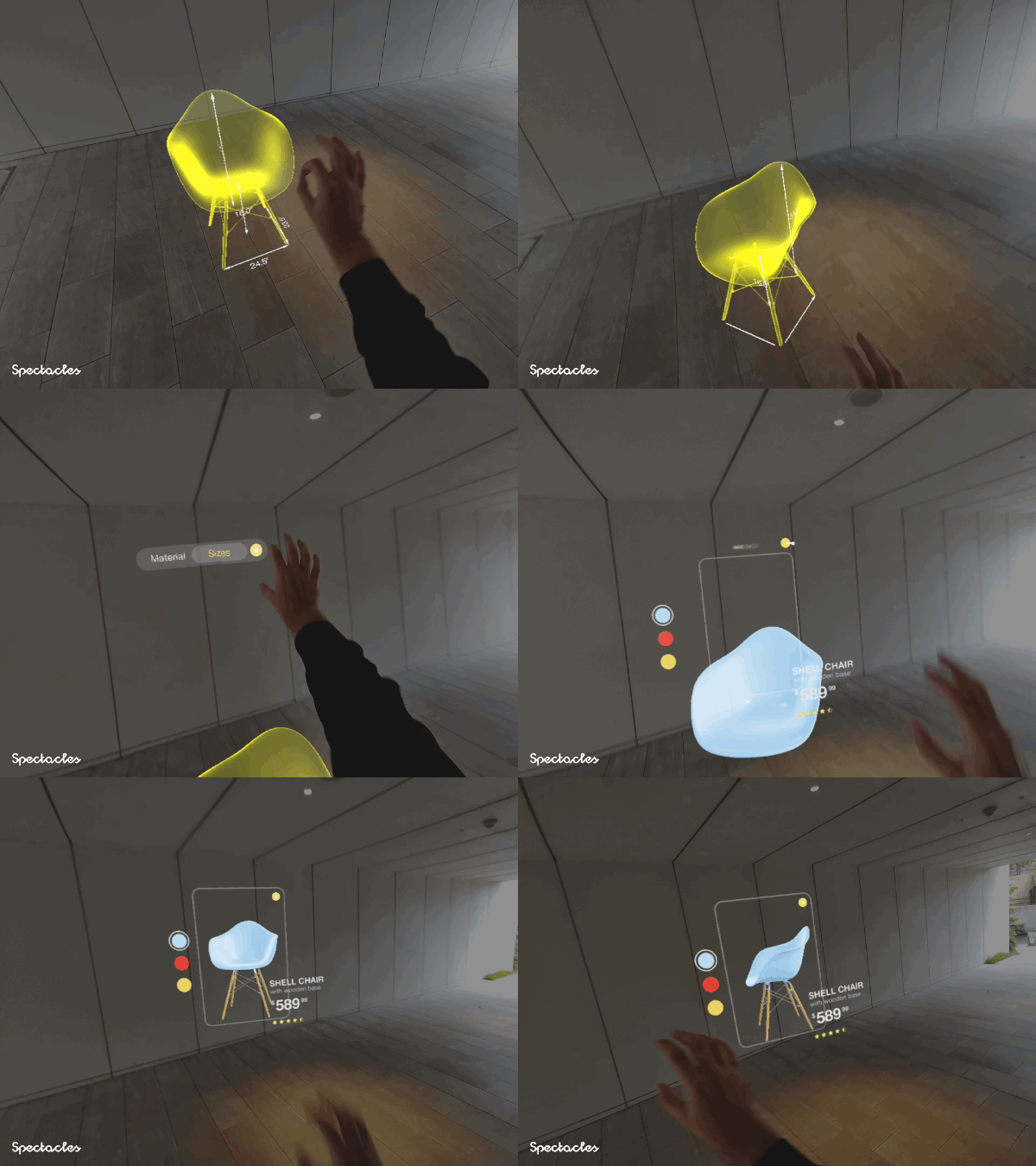
Chair
Live demo: https://webxr-chair.vercel.app/
Demo where the user can explore a 3D chair model through hand gestures. By pressing buttons to change colors, and pinching and pulling the top-right switch, the model opens into space at 1:1 scale, allowing the user to inspect its dimensions and details.
Code structure:
main.js— Initializes WebXR, scene, and render loop.XRSetup.js— Sets up Three.js renderer, camera, and XR session.HandInput.js— Tracks hand joints and pinch gestures for rotation and input.ChairExperience.js— Core logic for models, materials, animations, and interactions.UIPanels.js— Builds the floating UI: header toggle, color buttons, pull switch, info panel.Shaders.js— Loads and manages shaders.
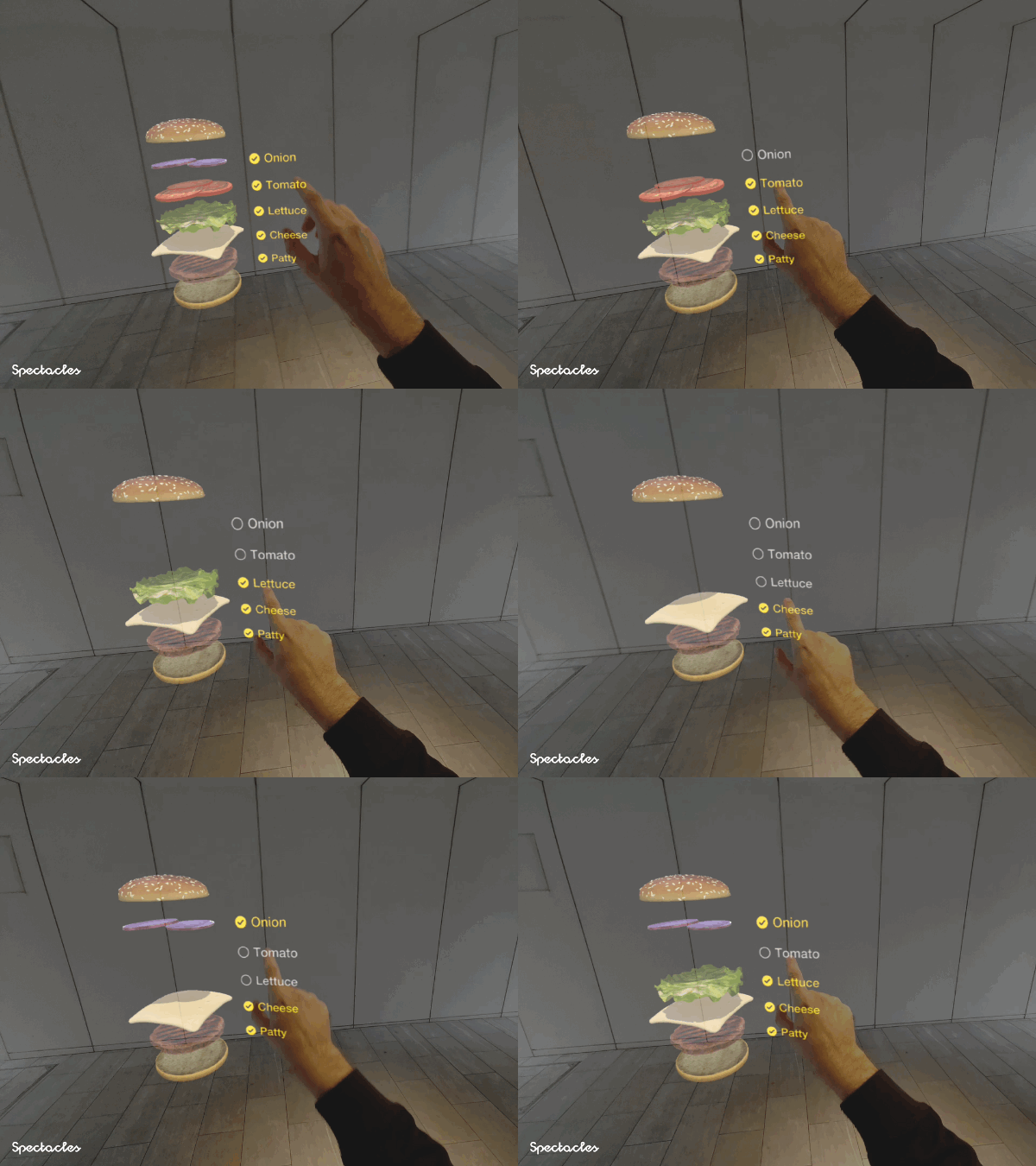
Burger
Live demo: https://webxr-burger.vercel.app/
Demo where the user can customize a 3D burger using hand interactions. With both hands, the burger can be opened into an exploded view, and individual ingredients can be toggled on and off.
Code structure:
main.js— Initializes XR scene, loads models, and links UI, lighting, and hand tracking.XRScene.js— Sets up Three.js renderer, camera, and XR session.BurgerMaterials.js— Defines materials.BurgerModels.js— Loads and organizes model parts.BurgerStack.js— Builds model layers and manages open/joined states.Lights.js— Adds lighting and shadow fitting.BurgerUI.js— Creates in-world UI panels and switches.HandTracking.js— Handles pinch gestures and ingredient interactions.
Sneaker
Live demo: https://webxr-sneaker.vercel.app/
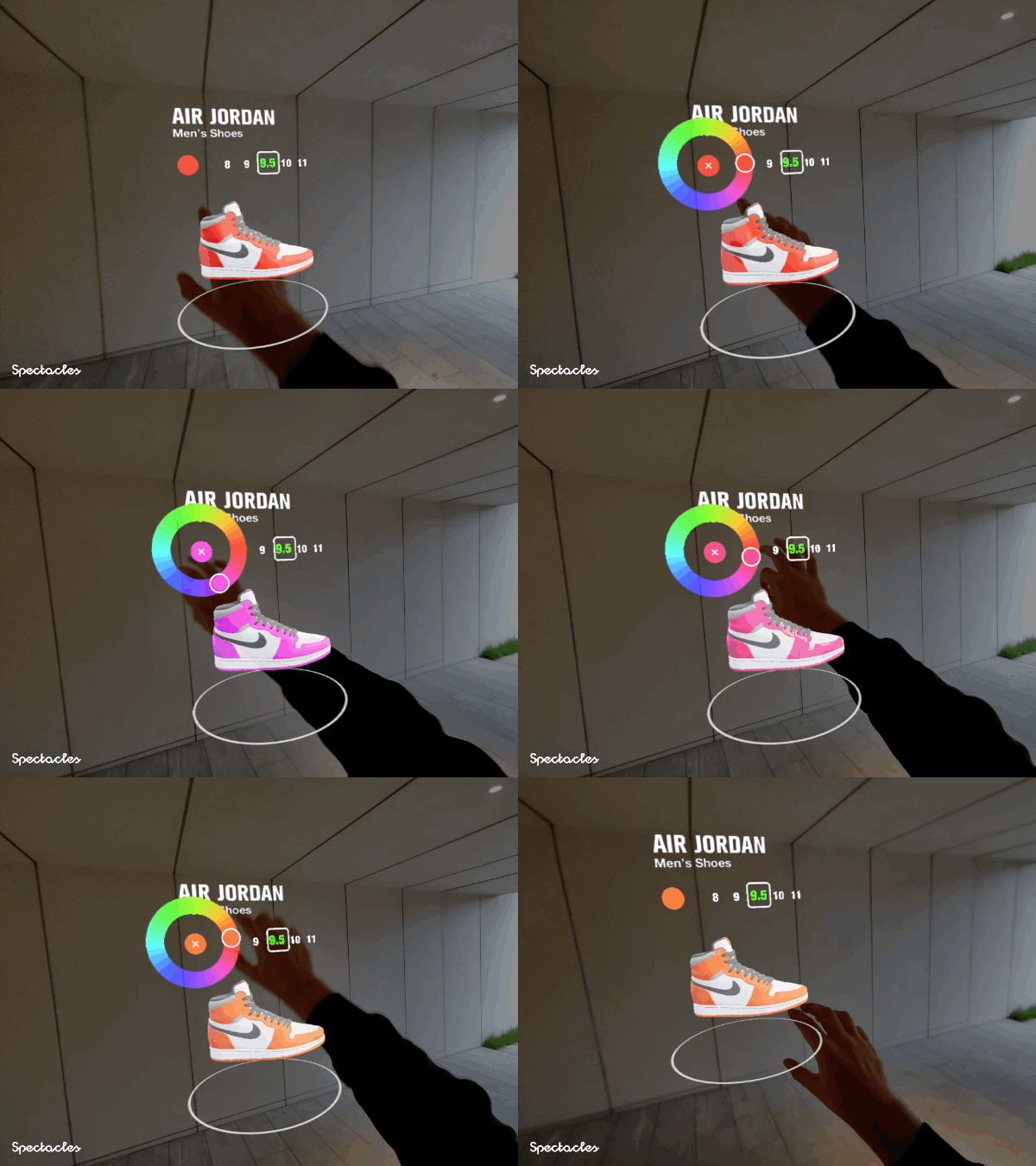
Demo where the user can explore and customize a 3D product through direct hand interactions, using a color picker, size selector, 3D tag cloud, and a rotatable, draggable product model. Designed as a simple template and inspiration for future e-commerce AR UIs. The product.glb is a placeholder cube, which can be replaced with a product model (the color layer in the model defines which parts can have their color changed).
Code structure:
main.js— Initializes XR scene, manages interactions, loads models, and orchestrates all UI modules.XRSetup.js— Configures Three.js renderer, camera, XR session.HandInput.js— Handles hand tracking, pinch gestures, and button touch detection.UIHeader.js— Builds the header bar and size UI.UIColorPicker.js— Manages the radial color selector and interaction.UITagsCloud.js— Creates and manages the 3D category tag cloud.Environment.js— Sets up lighting, reflections, and environment.Models.js— Loads and manages product and cloud models, toggling visibility and transitions.
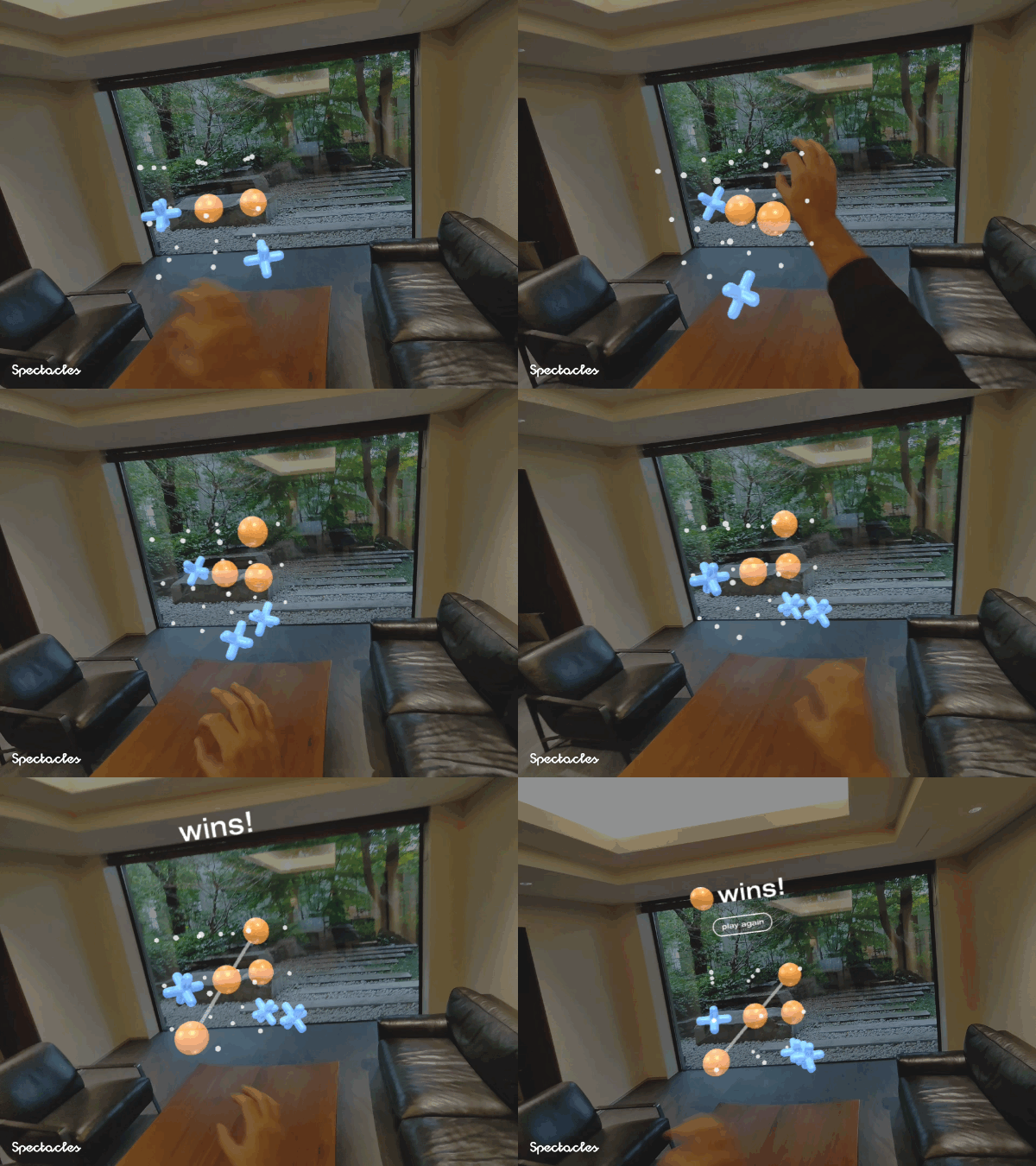
3D Tic-Tac-Toe
Live demo: https://webxr-tictactoe.vercel.app/
Demo showing a 3D Tic-Tac-Toe game played through hand interactions against the computer. The player can rotate the floating 3×3×3 board by pinching and moving their hands, then place pieces using the same gesture. A simple heuristic AI evaluates all possible moves to win or block, while the system detects wins across any spatial line.
Code structure:
main.js— Initializes WebXR and the scene, wires all systems together, runs the render loop, and orchestrates gameplay.GameState3D.js— Holds the 3×3×3 grid, checks wins/draws, and computes the AI’s next move.BoardView.js— Manages the 3D grid, sphere pick targets, O/X models, and the animated winning line.EndGameUI.js— Displays the win/lose message and reset button.HandInput.js— Tracks hand joints, detects pinches for placing pieces, handles board rotation, and detects button hits.