README
three-pathfinding




Navigation mesh toolkit for ThreeJS, based on PatrolJS. Computes paths between points on a 3D nav mesh, supports multiple zones, and clamps movement vectors for FPS controls. To learn how to create a navigation mesh using Blender, see Creating a Nav Mesh.
Thanks to Nick Janssen for creating PatrolJS, which was the basis for this library.
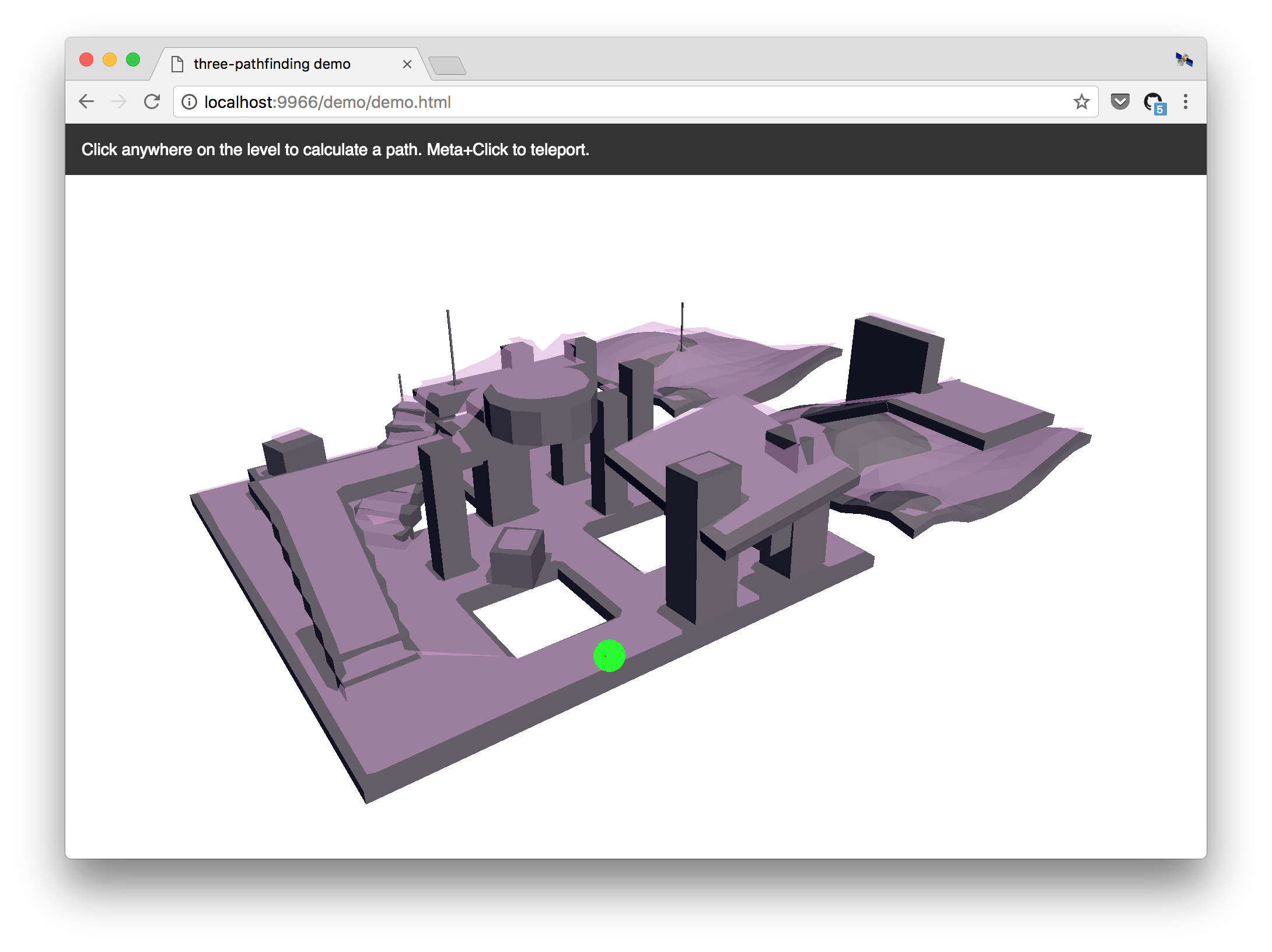
Introduction
Traditionally games and 3D apps used waypoints to help their AI agents navigate. This is bad and has a lot of problems, but is generally easier to implement than navigation meshes. Navmeshes are far more accurate, faster, and take into account the size of the AI agent (e.g. tanks require move space to maneuver than soldiers).
For a thorough introduction to Navigation mesh pathfinding, see AI Blog's article, Fixing Pathfinding Once and For All.
Quickstart
Installation
npm install --save three-pathfinding
Creating a Navigation Mesh
This library does not build navigation meshes for you — instead, create a navigation mesh using Blender, Recast (CLI), or another tool.
Currently, this library does not accept the custom navigation mesh file formats created by tools like Recast. Instead, you will need to export the navigation mesh to a 3D model format (like OBJ or glTF) and then load it with one of the three.js loaders, like THREE.OBJLoader or THREE.GLTFLoader. The library accepts a THREE.BufferGeometry instance, and follows the +Y=Up convention of three.js and glTF.
Example
Loading a mesh from a .gltf file:
// For ES6, see: https://github.com/mrdoob/three.js/issues/9562
// CommonJS
const THREE = window.THREE = require('three');
require('three/examples/js/loaders/GLTFLoader.js');

let navmesh;

const loader = new THREE.GLTFLoader();
loader.load( 'navmesh.gltf', ({scene}) => {
    scene.traverse((node) => {
        if (node.isMesh) navmesh = node;
    });
}, undefined, (e) => {
    console.error(e);
});
Initializing the library, creating a level, and finding a path:
// ES6
import { Pathfinding } from 'three-pathfinding';
// CommonJS
const { Pathfinding } = require('three-pathfinding');
// UMD
const Pathfinding = window.threePathfinding.Pathfinding;

// Create level.
const pathfinding = new Pathfinding();
const ZONE = 'level1';
pathfinding.setZoneData(ZONE, Pathfinding.createZone(navmesh.geometry));

// Find path from A to B.
const groupID = pathfinding.getGroup(ZONE, a);
const path = pathfinding.findPath(a, b, ZONE, groupID);
The origin of an agent should initially be placed on the surface of the nav mesh. If needed, a dummy object can be used for pathfinding logic, and the rendered model for that agent may be placed at on offset as needed.
Running the demo locally
git clone https://github.com/donmccurdy/three-pathfinding.git
cd three-pathfinding

yarn install
yarn run dev
The demo will start at http://localhost:3000/.
API
Table of Contents
Pathfinding
Defines an instance of the pathfinding module, with one or more zones.
setZoneData
Sets data for the given zone.
Parameters
getRandomNode
Returns a random node within a given range of a given position.
Parameters
Returns Node
getClosestNode
Returns the closest node to the target position.
Parameters
Returns Node
findPath
Returns a path between given start and end points. If a complete path cannot be found, will return the nearest endpoint available.
Parameters
startPositionVector3 Start position.targetPositionVector3 Destination.zoneIDstring ID of current zone.groupIDnumber Current group ID.
Returns Array<Vector3> Array of points defining the path.
getGroup
Returns closest node group ID for given position.
Parameters
zoneIDstringpositionVector3
Returns number
clampStep
Clamps a step along the navmesh, given start and desired endpoint. May be used to constrain first-person / WASD controls.
Parameters
startVector3endVector3 Desired endpoint.nodeNodezoneIDstringgroupIDnumberendTargetVector3 Updated endpoint.
Returns Node Updated node.
createZone
(Static) Builds a zone/node set from navigation mesh geometry.
Parameters
geometryBufferGeometrytolerancenumber Vertex welding tolerance. (optional, default1e-4)
Returns Zone
PathfindingHelper
Extends Object3D
Helper for debugging pathfinding behavior.
setPath
Parameters
pathArray<Vector3>
Returns this
setPlayerPosition
Parameters
positionVector3
Returns this
setTargetPosition
Parameters
positionVector3
Returns this
setNodePosition
Parameters
positionVector3
Returns this
setStepPosition
Parameters
positionVector3
Returns this
reset
Hides all markers.
Returns this
Zone
Defines a zone of interconnected groups on a navigation mesh.
Type: Object
Properties
Group
Defines a group within a navigation mesh.
Type: Object
Node
Defines a node (or polygon) within a group.
Type: Object
Properties
idnumberneighboursArray<number> IDs of neighboring nodes.vertexIdsArray<number>centroidVector3portalsArray<Array<number>> Array of portals, each defined by two vertex IDs.closedbooleancostnumber