README
Flutter Earth Globe
Overview
Flutter Earth Globe is an interactive 3D sphere widget for Flutter applications. This widget is designed to be easy to use and highly customizable, making it ideal for any application that requires a visually appealing representation of a planet.
Why Flutter Earth Globe?
- 🎨 Fully Customizable - Every aspect of the globe can be styled: colors, textures, atmosphere, points, connections, satellites, and more
- 🚀 GPU-Accelerated - Leverages fragment shaders for smooth, high-performance rendering
- 🌍 Feature-Rich - Day/night cycles, atmospheric effects, orbital satellites, animated connections
- 📱 Cross-Platform - Works on iOS, Android, Web, and Desktop
- 🔧 Flexible API - Simple defaults with deep customization options when you need them
This package was inspired by Globe.GL and Sphere.
Table of Contents
- Live Demo
- Features
- Installation
- Quick Start
- Adding Objects to the Globe
- Globe Configuration
- Contributors
- Support the Library
- License
Live Demo
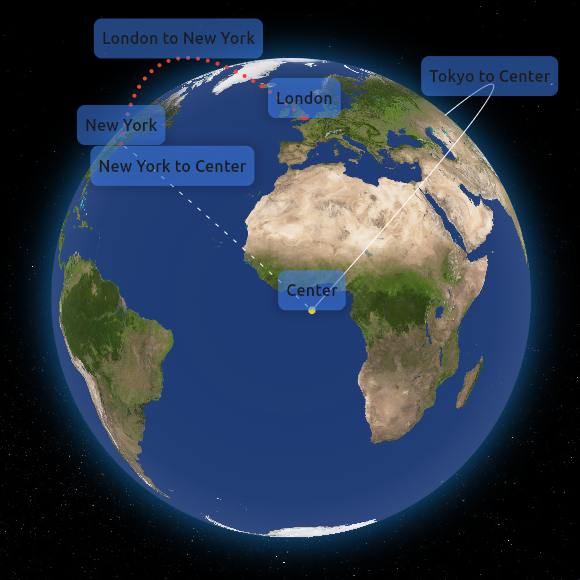
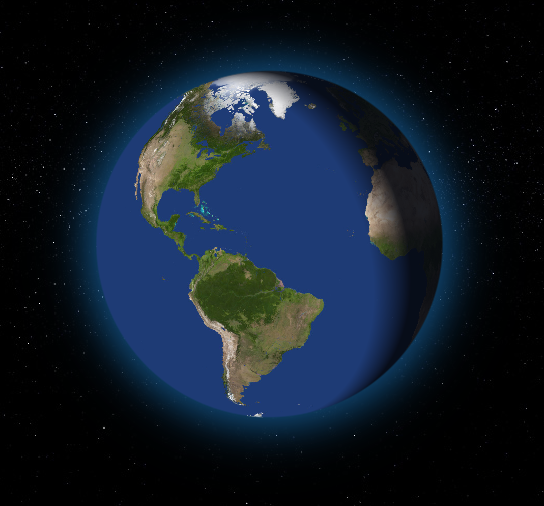
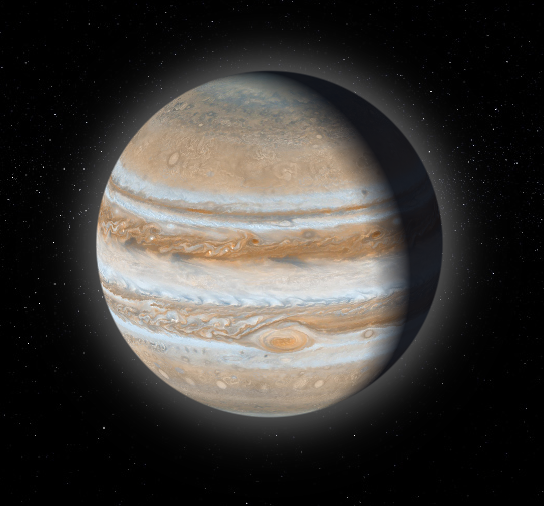
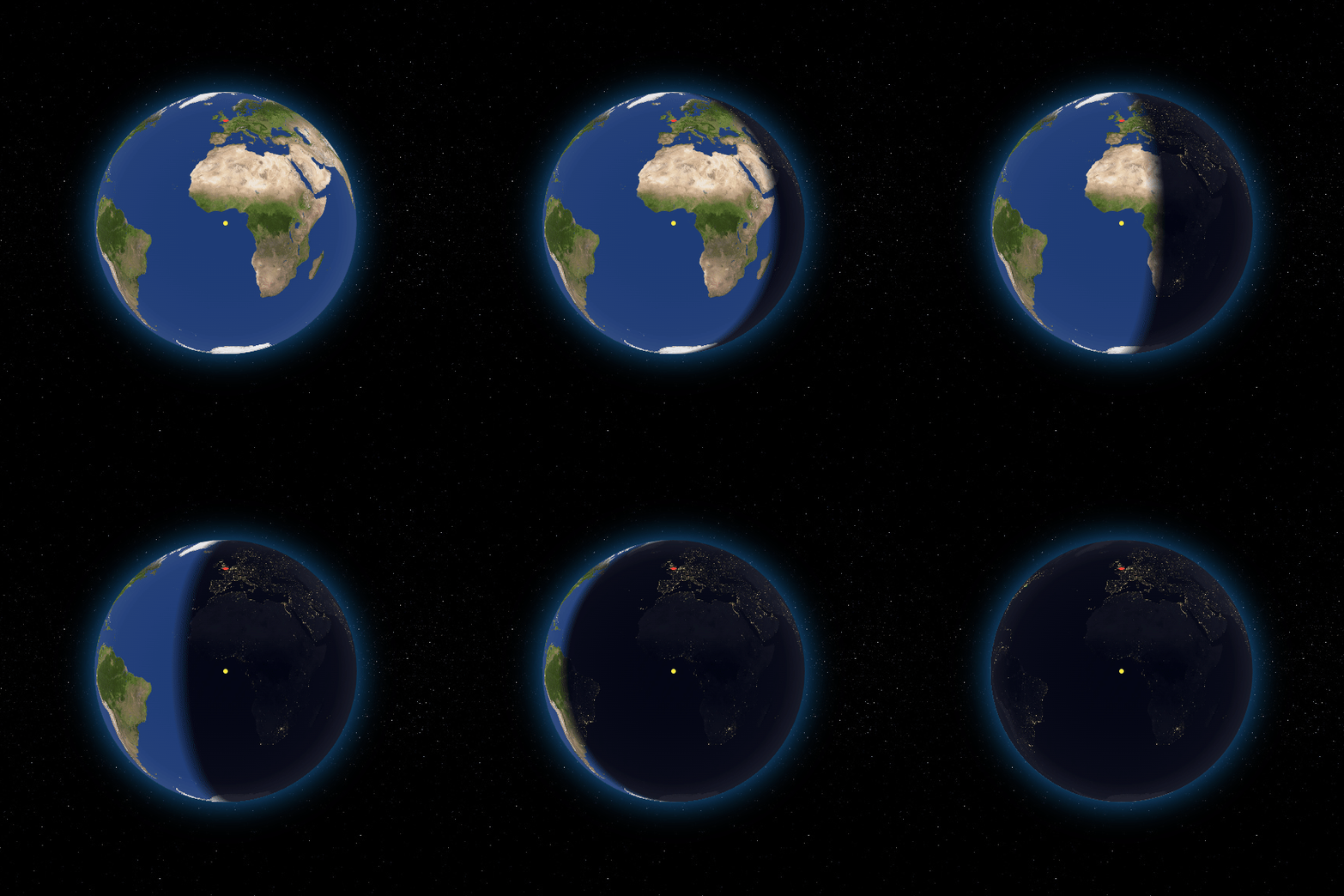
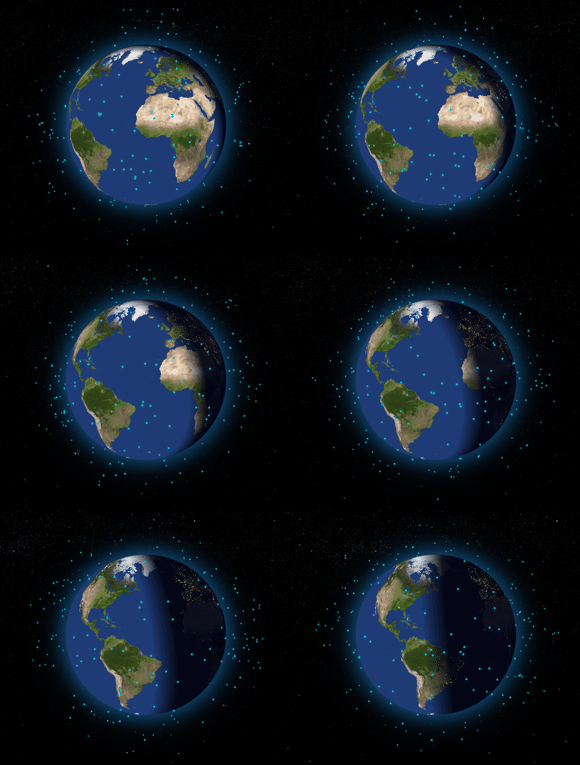
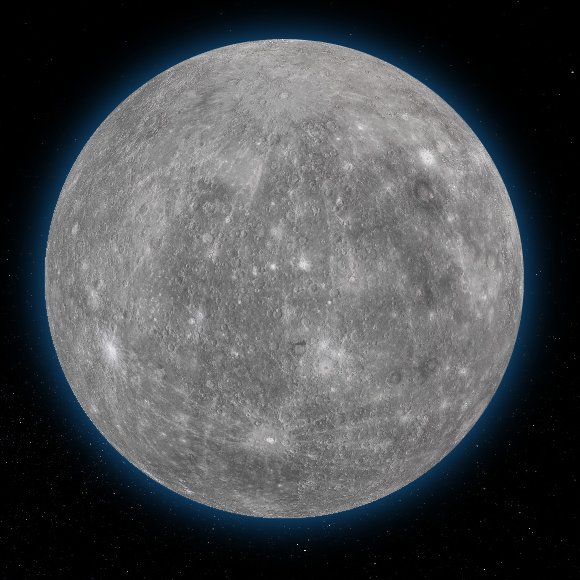
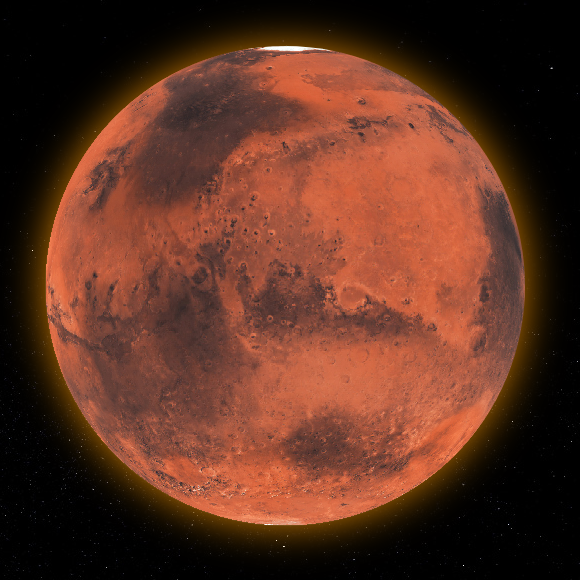
Features
- 3D Interactive Globe: A realistic and interactive 3D model of the Earth with GPU-accelerated rendering.
- Customizable Appearance: Options to customize the appearance of the globe including colors, textures, and more.
- Zoom and Rotation: Users can interact with the globe through zoom and rotation gestures with smooth animations.
- Point Support: Ability to place customizable points on the globe with 3D tilt effects.
- Connections Support: Ability to create animated arc connections between different coordinates.
- Satellites Support: Add orbiting satellites with customizable styles and orbital parameters.
- Custom Labels Support: Ability to create custom widget labels for a point, connection, or satellite.
- Day/Night Cycle: Realistic day/night cycle with two modes - texture swap for detailed night textures or simulated overlay for quick setup.
- Customizable Atmosphere: Fully configurable atmospheric glow with adjustable color, intensity, opacity, and thickness.
- Ring Light Effect: Directional lighting around the globe for enhanced 3D depth perception.
- Responsive Design: Ensures compatibility with a wide range of devices and screen sizes.
- Smooth Anti-aliased Edges: High-quality rendering with smooth globe edges.
Installation
To install Flutter Earth Globe, follow these steps:
-
Add the package to your Flutter project's
pubspec.yamlfile:dependencies: flutter_earth_globe: ^2.1.0or just run
flutter pub add flutter_earth_globe -
Import the package in your Dart code:
import 'package:flutter_earth_globe/flutter_earth_globe.dart';
Web Build Requirements
⚠️ Important: When building or running for web, you must use the
--wasmflag for the shaders to work correctly. Without this flag, you may experience rendering issues or strange visual behavior.
# Run for web with WASM
flutter run -d chrome --wasm

# Build for web with WASM
flutter build web --wasm
Quick Start
Here is a basic example of how to integrate the Flutter Earth Globe into your Flutter app:
import 'package:flutter/material.dart';
import 'package:flutter_earth_globe/flutter_earth_globe.dart';
import 'package:flutter_earth_globe/flutter_earth_globe_controller.dart';

class MyGlobe extends StatefulWidget {
  @override
  _MyGlobeState createState() => _MyGlobeState();
}

class _MyGlobeState extends State<MyGlobe> {
  late FlutterEarthGlobeController _controller;

  @override
  void initState() {
    super.initState();
    _controller = FlutterEarthGlobeController(
      rotationSpeed: 0.05,
      isBackgroundFollowingSphereRotation: true,
      background: Image.asset('assets/2k_stars.jpg').image,
      surface: Image.asset('assets/2k_earth-day.jpg').image,
    );
  }

  @override
  Widget build(BuildContext context) {
    return Scaffold(
      body: SafeArea(
        child: FlutterEarthGlobe(
          controller: _controller,
          radius: 120,
        ),
      ),
    );
  }
}
Adding Objects to the Globe
Flutter Earth Globe supports multiple types of objects that can be placed on or around the globe:
Points
Points are markers placed on the globe's surface at specific coordinates.
_controller.addPoint(Point(
  id: '1',
  coordinates: const GlobeCoordinates(51.5072, 0.1276),
  label: 'London',
  isLabelVisible: true,
  style: const PointStyle(color: Colors.red, size: 6),
  onTap: () => print('London tapped!'),
  onHover: () => print('Hovering over London'),
));
📖 Point API Reference
Point Properties
| Property | Type | Required | Description |
|---|---|---|---|
id | String | ✅ | Unique identifier for the point |
coordinates | GlobeCoordinates | ✅ | Latitude and longitude position |
label | String? | ❌ | Text label displayed near the point |
labelBuilder | Widget Function()? | ❌ | Custom widget builder for the label |
isLabelVisible | bool | ❌ | Whether to show the label (default: false) |
style | PointStyle | ❌ | Visual style of the point |
onTap | VoidCallback? | ❌ | Callback when point is tapped |
onHover | VoidCallback? | ❌ | Callback when point is hovered |
PointStyle Properties
| Property | Type | Default | Description |
|---|---|---|---|
size | double | 4.0 | Size of the point in pixels |
color | Color | white | Color of the point |
altitude | double | 0.0 | Height above the globe surface |
transitionDuration | int | 500 | Fade in/out animation duration (ms) |
merge | bool | false | Whether to merge with nearby points |
Point Controller Methods
// Add a point
_controller.addPoint(point);

// Update an existing point
_controller.updatePoint('point-id', label: 'New Label', style: newStyle);

// Remove a point
_controller.removePoint('point-id');

// Clear all points
_controller.clearPoints();

// Get a point by ID
Point? point = _controller.getPoint('point-id');
Connections
Connections are animated arcs between two coordinates on the globe.
_controller.addPointConnection(PointConnection(
  id: 'connection-1',
  start: const GlobeCoordinates(51.5072, 0.1276),    // London
  end: const GlobeCoordinates(40.7128, -74.0060),    // New York
  label: 'London - New York',
  isLabelVisible: true,
  style: PointConnectionStyle(
    type: PointConnectionType.dashed,
    color: Colors.cyan,
    lineWidth: 2,
    dashAnimateTime: 2000,
    animateOnAdd: true,
  ),
));
📖 Connection API Reference
PointConnection Properties
| Property | Type | Required | Description |
|---|---|---|---|
id | String | ✅ | Unique identifier for the connection |
start | GlobeCoordinates | ✅ | Starting coordinates |
end | GlobeCoordinates | ✅ | Ending coordinates |
label | String? | ❌ | Text label displayed at the midpoint |
labelBuilder | Widget Function()? | ❌ | Custom widget builder for the label |
isLabelVisible | bool | ❌ | Whether to show the label (default: false) |
curveScale | double | ❌ | Height of the arc curve (default: 0.5) |
style | PointConnectionStyle | ❌ | Visual style of the connection |
onTap | VoidCallback? | ❌ | Callback when connection is tapped |
onHover | VoidCallback? | ❌ | Callback when connection is hovered |
PointConnectionStyle Properties
| Property | Type | Default | Description |
|---|---|---|---|
type | PointConnectionType | solid | Line type: solid, dashed, or dotted |
color | Color | white | Color of the connection line |
lineWidth | double | 1.0 | Width of solid lines |
dashSize | double | 4.0 | Length of dashes |
dotSize | double | 1.0 | Size of dots |
spacing | double | 8.0 | Space between dashes/dots |
dashAnimateTime | int | 0 | Time (ms) for dash to travel the arc (0 = disabled) |
transitionDuration | int | 500 | Fade in/out duration (ms) |
animateOnAdd | bool | true | Animate arc growth when added |
growthAnimationDuration | int | 1000 | Arc growth animation duration (ms) |
Connection Types
// Solid line
PointConnectionStyle(type: PointConnectionType.solid)

// Dashed line with animation
PointConnectionStyle(
  type: PointConnectionType.dashed,
  dashSize: 4,
  spacing: 6,
  dashAnimateTime: 2000,
)

// Dotted line
PointConnectionStyle(
  type: PointConnectionType.dotted,
  dotSize: 2,
  spacing: 4,
)
Connection Controller Methods
// Add a connection
_controller.addPointConnection(connection);

// Update an existing connection
_controller.updatePointConnection('connection-id',
  label: 'New Label',
  style: newStyle,
);

// Remove a connection
_controller.removePointConnection('connection-id');

// Clear all connections
_controller.clearPointConnections();
Satellites
Satellites are objects that orbit around the globe with customizable orbital parameters.
// Geostationary satellite
_controller.addSatellite(Satellite(
  id: 'geo-sat-1',
  coordinates: GlobeCoordinates(0, -75.2),
  altitude: 0.35,
  label: 'GOES-16',
  isLabelVisible: true,
  style: SatelliteStyle(
    size: 6,
    color: Colors.yellow,
    shape: SatelliteShape.circle,
    hasGlow: true,
  ),
));

// Orbiting satellite (ISS-like)
_controller.addSatellite(Satellite(
  id: 'iss',
  coordinates: GlobeCoordinates(0, 0),
  altitude: 0.06,
  label: 'ISS',
  orbit: SatelliteOrbit(
    inclination: 51.6,
    period: Duration(seconds: 30),
  ),
  style: SatelliteStyle(
    size: 8,
    shape: SatelliteShape.satelliteIcon,
    showOrbitPath: true,
  ),
));
📖 Satellite API Reference
Satellite Properties
| Property | Type | Required | Description |
|---|---|---|---|
id | String | ✅ | Unique identifier for the satellite |
coordinates | GlobeCoordinates | ✅ | Position (used if no orbit defined) |
altitude | double | ✅ | Height above globe surface (0.0 - 1.0+) |
label | String? | ❌ | Text label for the satellite |
labelBuilder | Widget Function()? | ❌ | Custom widget builder for the label |
isLabelVisible | bool | ❌ | Whether to show the label (default: false) |
orbit | SatelliteOrbit? | ❌ | Orbital parameters for animation |
style | SatelliteStyle | ❌ | Visual style of the satellite |
SatelliteStyle Properties
| Property | Type | Default | Description |
|---|---|---|---|
size | double | 4.0 | Size of the satellite |
color | Color | white | Color of the satellite |
shape | SatelliteShape | circle | Shape: circle, square, triangle, star, satelliteIcon |
hasGlow | bool | false | Enable glow effect |
glowColor | Color? | null | Color of the glow (defaults to satellite color) |
glowIntensity | double | 0.5 | Intensity of the glow effect |
sizeAttenuation | bool | true | Scale size based on distance |
showOrbitPath | bool | false | Show the orbital path |
orbitPathColor | Color | white30 | Color of the orbit path |
orbitPathWidth | double | 1.0 | Width of the orbit path |
orbitPathDashed | bool | false | Use dashed line for orbit path |
SatelliteOrbit Properties
| Property | Type | Default | Description |
|---|---|---|---|
inclination | double | 0.0 | Orbital inclination in degrees |
period | Duration | 90 min | Time for one complete orbit |
raan | double | 0.0 | Right ascension of ascending node |
initialPhase | double | 0.0 | Starting phase in degrees |
eccentricity | double | 0.0 | Orbital eccentricity (0 = circular) |
Satellite Controller Methods
// Add a satellite
_controller.addSatellite(satellite);

// Update an existing satellite
_controller.updateSatellite('satellite-id',
  label: 'New Label',
  style: newStyle,
);

// Remove a satellite
_controller.removeSatellite('satellite-id');

// Clear all satellites
_controller.clearSatellites();
Globe Configuration
Loading Textures
// Load surface texture
_controller.loadSurface(Image.asset('assets/2k_earth-day.jpg').image);

// Load night texture (for day/night cycle)
_controller.loadNightSurface(Image.asset('assets/2k_earth-night.jpg').image);

// Load background
_controller.loadBackground(
  Image.asset('assets/2k_stars.jpg').image,
  isBackgroundFollowingSphereRotation: true,
);
Day/Night Cycle
Flutter Earth Globe supports two day/night modes:
Texture Swap Mode (Default)
Uses separate day and night textures for maximum visual quality:
final _controller = FlutterEarthGlobeController(
  surface: Image.asset('assets/2k_earth-day.jpg').image,
  nightSurface: Image.asset('assets/2k_earth-night.jpg').image,
  isDayNightCycleEnabled: true,
  dayNightMode: DayNightMode.textureSwap,
  dayNightBlendFactor: 0.15,
);
Simulated Mode
Applies a color overlay to simulate night without needing a separate texture - perfect for planets without a dedicated night texture:
final _controller = FlutterEarthGlobeController(
  surface: Image.asset('assets/2k_mars.jpg').image,
  isDayNightCycleEnabled: true,
  dayNightMode: DayNightMode.simulated,
  simulatedNightColor: const Color(0xFF0a1628),  // Deep blue night
  simulatedNightIntensity: 0.7,  // 0.0 - 1.0
);
Day/Night Controls
// Start animated cycle
_controller.startDayNightCycle(cycleDuration: Duration(seconds: 30));

// Stop animation
_controller.stopDayNightCycle();

// Manual sun position
_controller.setSunPosition(longitude: 45.0, latitude: 10.0);

// Use real-time sun position
_controller.setUseRealTimeSunPosition(true);

// Switch modes at runtime
_controller.setDayNightMode(DayNightMode.simulated);
_controller.setSimulatedNightColor(Colors.indigo.shade900);
_controller.setSimulatedNightIntensity(0.8);
Atmosphere Customization
The atmospheric glow is fully customizable:
final _controller = FlutterEarthGlobeController(
  // Atmosphere settings
  showAtmosphere: true,
  atmosphereColor: Colors.cyan,        // Glow color
  atmosphereOpacity: 0.8,              // 0.0 - 1.0
  atmosphereThickness: 0.15,           // Relative to globe radius
  atmosphereBlur: 25.0,                // Blur radius
);

// Update at runtime
_controller.setAtmosphereColor(Colors.orange);  // Mars-like atmosphere
_controller.setAtmosphereOpacity(0.6);
Tip: Match the atmosphere color to your planet's texture for a cohesive look - blue for Earth, orange for Mars, pale yellow for Venus.
Sphere Style
_controller.setSphereStyle(SphereStyle(
  shadowColor: Colors.orange.withAlpha(204),
  shadowBlurSigma: 20,
));
📖 Controller API Reference
FlutterEarthGlobeController Constructor
| Property | Type | Default | Description |
|---|---|---|---|
surface | ImageProvider? | null | Day surface texture |
nightSurface | ImageProvider? | null | Night surface texture |
background | ImageProvider? | null | Background texture |
rotationSpeed | double | 0.0 | Auto-rotation speed |
zoom | double | 0.0 | Initial zoom level |
minZoom | double | -1.0 | Minimum zoom level |
maxZoom | double | 5.0 | Maximum zoom level |
isZoomEnabled | bool | true | Enable zoom gestures |
zoomSensitivity | double | 0.8 | Zoom gesture sensitivity |
panSensitivity | double | 1.0 | Pan gesture sensitivity |
showAtmosphere | bool | true | Show atmospheric glow |
atmosphereColor | Color | blue | Atmosphere glow color |
atmosphereBlur | double | 25.0 | Atmosphere blur radius |
atmosphereThickness | double | 0.15 | Atmosphere thickness |
atmosphereOpacity | double | 0.6 | Atmosphere opacity |
isDayNightCycleEnabled | bool | false | Enable day/night cycle |
dayNightMode | DayNightMode | textureSwap | Mode: textureSwap or simulated |
dayNightBlendFactor | double | 0.15 | Day/night transition sharpness |
simulatedNightColor | Color | dark blue | Overlay color for simulated mode |
simulatedNightIntensity | double | 0.6 | Overlay intensity (0.0 - 1.0) |
useRealTimeSunPosition | bool | false | Calculate sun from real time |
Rotation Control
// Start/stop rotation
_controller.startRotation();
_controller.stopRotation();
_controller.toggleRotation();

// Set rotation speed
_controller.setRotationSpeed(0.1);

// Rotate to specific coordinates
_controller.rotateToCoordinates(GlobeCoordinates(lat, lon));

// Set zoom
_controller.setZoom(2.0);
Callbacks
_controller.onLoaded = () {
  print('Globe loaded!');
};

FlutterEarthGlobe(
  controller: _controller,
  radius: 150,
  onZoomChanged: (zoom) => print('Zoom: $zoom'),
  onHover: (coordinates) => print('Hover: $coordinates'),
  onTap: (coordinates) => print('Tap: $coordinates'),
)
Contributors
We would like to thank all the contributors who have helped make this project a success. Your contributions, big or small, make a significant impact on the development and improvement of this project.
If you would like to contribute, please feel free to fork the repository, make your changes, and submit a pull request.
How to Contribute
- Fork the Repository: Click the 'Fork' button at the top right corner of this repository.
- Clone Your Fork: Clone your fork to your local machine.
- Create a Branch: Create a new branch for your modifications (
git checkout -b feature/YourFeature). - Make Your Changes: Make the necessary changes to the project.
- Commit Your Changes: Commit your changes (
git commit -am 'Add some feature'). - Push to the Branch: Push your changes to your branch (
git push origin feature/YourFeature). - Open a Pull Request: Go to the repository on GitHub and open a pull request.
We are excited to see your contributions and are looking forward to growing this project with the community!
Support the Library
You can also support the library by liking it on pub, staring in on Github and reporting any bugs you encounter.
License
This project is licensed under the MIT License - see the LICENSE file for details.