README
3D Model Viewer for Nextcloud
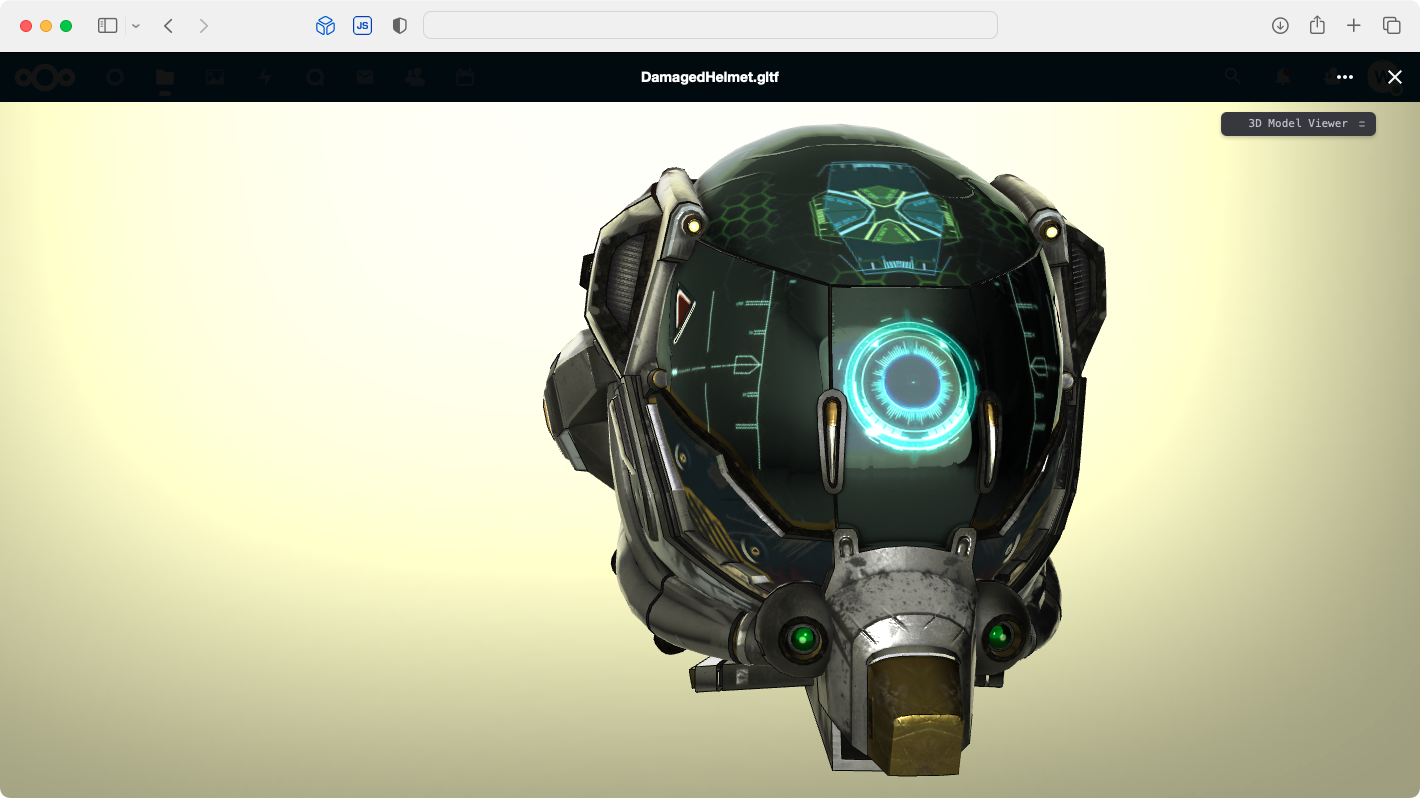
Visualise and explore 3D models
| Extension | Type | Notes |
|---|---|---|
| 3dm | Rhino | |
| 3ds | Autodesk 3D Studio | |
| 3mf | 3D Manufacturing Format | |
| amf | Additive Manufacturing File Format | |
| bim | dotbim | |
| brep/brp | Boundary Representation | |
| dae | Collada | |
| fbx | Filmbox | |
| fcstd | FreeCAD Standard File Format | |
| glb | GL Transmission Format | binary |
| gltf | GL Transmission Format | separate and embedded |
| ifc | International Foundation Class | no XML or compressed |
| iges/igs | Initial Graphics Exchange Specification | |
| obj | Wavefront | with mtl and textures |
| off | Object File Format | |
| ply | Polygon File Format | |
| step/stp | Standard for Exchange of Product Model Data | |
| stl | Stereolithography Standard Tesselation/Triangle Language | ASCII and Binary |
| wrl | Virtual Reality Modeling Language | superseded by X3D |
Currently the only functionality is basic controls (orbit, pan, zoom), few options for view, camera, environment and model display. See Development notes.
Installation
Nextcloud App Store
Manually
Prebuilt
- Visit releases
- Download latest and unzip
- Place
files_3dmodelviewerdirectory in<nextcloud-root>/appsor<your_custom_apps_dir> - Enable
- through CLI
php occ app:enable files_3dmodelviewer - or WEB GUI.
- through CLI
Build
- Clone this repo in
<nextcloud-root>/appsor<your_custom_apps_dir>andcd files_3dmodelviewer - Build
- See Building
- Enable
- through CLI
php occ app:enable files_3dmodelviewer - or WEB GUI.
- through CLI
Development notes
- The skeleton of this project was created accordingly to Generate app.
- A partial effort was made to follow Coding style & general guidelines.
- Node dependency versions are managed through
npx ncuas Nextcloud uses Vue2 and we need to hold back, see.ncurc.js - Currently building of the project is left to Nextcloud proposed
make. Given that the project is frontend centric it is subject to change - especially because of hot reload, see notes below.
Design
Why? v1r0x/files_3d was used before, however it lacked file support that was necessary for inhouse needs. After evaluating status quo it made more sense to make a new app and rely on well maintained and active engine under the hood.
Nextcloud docs on app building exists, however one can truly start to understand what & how after diving into Nextcloud source. Ain't got time for that, therefore shortcuts were made by inspecting these great existing apps and how they have tackled it (especially Nextcloud offical and featured apps)
- nextcloud/files
- nextcloud/viewer
- nextcloud/files_pdfviewer
- pawelrojek/nextcloud-drawio
- Loydl/nc-bpm-app
- v1r0x/files_3d
Currently this app taps directly in nextcloud/viewer modal, as it was less code lines to mock it up. However after getting to understand how apps tap into Nextcloud the idea is to use the same approach as nextcloud/files_pdfviewer, which is good ol iframe.
- Allows to clearly separate the viewport and its logic from Nextcloud, only bridging what's necessary.
- Nextcloud global CSS space bites, app CSS injection order is unspecified etc. Pain, that can be avoided.
- Ability to develop outside actual running Nextcloud instance.
- No need to stick to Vue 2 if FE engine is to be used. React camp here, but if Vue was chosen, then at least Vue 3.
- Easier management for hot reloading without which feature full GUI development would be a nightmare.
Test models
No test files in repo. This loader has been tested by exports provided by various types Blender, Fusion 360, Solidworks, ArchiCAD. There are issues that needs to be addressed in engine.
Additionally browse through these reference files:
- KhronosGroup/glTF-Sample-Models GLTF/GLB up to spec
- google/draco GLTF/GLB up to spec
- FreeCAD/Examples FCSTD up to spec
- Sketchfab/glTF
- Voron
- kovacsv/Online3DViewer
Todo
- Evaluate engine, dependencies that are used to convert each viewable file type to GL buffers. Current engine is online-3d-viewer as a fast drop in to handle multiple types. Props to the author!
- Make a decision on whether iframe is used or not, as that affects lot of things, including backend (routes, controller).
- App settings in
settings/admin. - Implement object convert/export, albeit in Nextcloud context one would do that in a full fledged desktop app.
- Animated models
- Create control GUI and features by borrowing ideas from online HTML5 viewers, especially CAD centric features
Building
Dependencies
- POSIX preferred
- make
- whichcd
- php
- composer
- node (preferred via nvm)
- npm
- tar
- curl
Prefligth
nvm use
npm install
Building for prod
make
Building for dev static
make dev
Building for dev w/ hotreload
Currently NA, see dev notes above.